Our Debt Free Family

Commit. Plan. Take action.

  • BUDGETING
  • DEBT REDUCTION
  • INVESTING
  • LIFESTYLE
  • TOOLS
  • ABOUT
  • Privacy Policy
  • CONTACT

14 Outdated Trends That Will Disappear with the Baby Boomers

October 20, 2025 | Leave a Comment

14 Outdated Trends That Will Disappear with the Baby Boomers

<p> Times are changing, and with them, so are the habits, gadgets, and traditions that once defined entire generations. While some Baby Boomer-era staples hold nostalgic value, others have outlived their usefulness and are quickly fading into history. Younger generations are moving on, embracing technology and convenience while leaving these laughably outdated things behind. Here are 14 things that will likely vanish as Boomers do. </p> :: Freepik

Times are changing, and with them, so are the habits, gadgets, and traditions that once defined entire generations. While some Baby Boomer-era staples hold nostalgic value, others have outlived their usefulness and are quickly fading into history. Younger generations are moving on, embracing technology and convenience while leaving these laughably outdated things behind. Here are 14 things that will likely vanish as Boomers do.

1. Landline Phones – The Tethered Relic

<p> Once the mainstay of every household, landline phones are now gathering dust in favor of smartphones. Why stay tied to a wall when you can carry a mini-computer in your pocket? Many younger people have never even owned a landline, making it clear that these old-school phones are headed for extinction. It is hard to justify keeping a landline when mobile devices offer instant communication, video calls, and access to the internet all in one place. The remaining users of landlines are mainly older generations who have relied on them for decades, but as technology advances, they will likely be phased out entirely. </p> :: Pexels

Once the mainstay of every household, landline phones are now gathering dust in favor of smartphones. Why stay tied to a wall when you can carry a mini-computer in your pocket? Many younger people have never even owned a landline, making it clear that these old-school phones are headed for extinction. It is hard to justify keeping a landline when mobile devices offer instant communication, video calls, and access to the internet all in one place. The remaining users of landlines are mainly older generations who have relied on them for decades, but as technology advances, they will likely be phased out entirely.

2. Writing Checks – A Payment Method on Life Support

<p> Boomers may still be breaking out their checkbooks at the grocery store, but for younger generations, checks are practically prehistoric. With online banking, credit cards, and mobile payment apps like Venmo and PayPal, there is little need to sit down and manually fill out a check. Many businesses no longer accept them, and banks are starting to discourage their use due to security risks and processing delays. Soon, the only place you will find them is in a history lesson or in the hands of someone who refuses to embrace digital banking. </p> :: Freepik

Boomers may still be breaking out their checkbooks at the grocery store, but for younger generations, checks are practically prehistoric. With online banking, credit cards, and mobile payment apps like Venmo and PayPal, there is little need to sit down and manually fill out a check. Many businesses no longer accept them, and banks are starting to discourage their use due to security risks and processing delays. Soon, the only place you will find them is in a history lesson or in the hands of someone who refuses to embrace digital banking.

3. Cable Television – The Overpriced Dinosaur

<p> Remember the days of flipping through 200 channels only to find nothing good to watch? Cable television is on its last legs as streaming services take over. Platforms like Netflix, Hulu, and Disney Plus offer on-demand entertainment without the high costs, commercials, or clunky cable boxes. Younger generations prefer the freedom of watching what they want when they want, without being tied to a rigid schedule. As more people cut the cord, cable providers are struggling to stay relevant. </p> :: Pexels

Remember the days of flipping through 200 channels only to find nothing good to watch? Cable television is on its last legs as streaming services take over. Platforms like Netflix, Hulu, and Disney Plus offer on-demand entertainment without the high costs, commercials, or clunky cable boxes. Younger generations prefer the freedom of watching what they want when they want, without being tied to a rigid schedule. As more people cut the cord, cable providers are struggling to stay relevant.

4. Encyclopedias – The Heavy and Outdated Google Alternative

<p> Once a prized possession in family homes, encyclopedia sets are now just expensive dust collectors. With instant access to unlimited information on the internet, no one needs 20 volumes of outdated facts taking up space. Wikipedia and online databases have made printed encyclopedias all but obsolete. What used to be a reliable source of knowledge is now mostly a decorative relic in old bookshelves or secondhand stores. </p> :: Pexels

Once a prized possession in family homes, encyclopedia sets are now just expensive dust collectors. With instant access to unlimited information on the internet, no one needs 20 volumes of outdated facts taking up space. Wikipedia and online databases have made printed encyclopedias all but obsolete. What used to be a reliable source of knowledge is now mostly a decorative relic in old bookshelves or secondhand stores.

5. Fax Machines – The Annoying Noisemaker

<p> The screeching sound of a fax machine connecting is a noise few people miss. While Boomers may still swear by this outdated method of sending documents, the rest of the world has moved on to emails, cloud storage, and digital signatures. The only faxes you are likely to see these days are in medical offices or government institutions that have yet to catch up to modern technology. Even those industries are slowly transitioning to more efficient and secure digital methods. </p> :: Freepik

The screeching sound of a fax machine connecting is a noise few people miss. While Boomers may still swear by this outdated method of sending documents, the rest of the world has moved on to emails, cloud storage, and digital signatures. The only faxes you are likely to see these days are in medical offices or government institutions that have yet to catch up to modern technology. Even those industries are slowly transitioning to more efficient and secure digital methods.

6. Cursive Writing – A Skill That No One Uses

<p> There was a time when students had to master cursive writing to communicate elegantly. Today, many younger people cannot even read it, let alone write it. Typing has taken over, and aside from signing your name, cursive is no longer a necessary skill. Schools are phasing it out, ensuring its slow but inevitable demise. Although some argue for its aesthetic and cognitive benefits, the reality is that most people prefer the speed and efficiency of digital writing. </p> :: Pexels

There was a time when students had to master cursive writing to communicate elegantly. Today, many younger people cannot even read it, let alone write it. Typing has taken over, and aside from signing your name, cursive is no longer a necessary skill. Schools are phasing it out, ensuring its slow but inevitable demise. Although some argue for its aesthetic and cognitive benefits, the reality is that most people prefer the speed and efficiency of digital writing.

7. Paper Maps – The Ultimate Road Trip Headache

<p> Unfolding a massive paper map and trying to refold it correctly was a struggle Boomers knew well. Today, Google Maps and GPS navigation have made paper maps nearly extinct. With real-time traffic updates, voice directions, and rerouting features, modern navigation tools are faster, smarter, and far less frustrating. Road trips are easier than ever without the need to decipher tiny text and lines on a piece of paper. </p> :: Pexels

Unfolding a massive paper map and trying to refold it correctly was a struggle Boomers knew well. Today, Google Maps and GPS navigation have made paper maps nearly extinct. With real-time traffic updates, voice directions, and rerouting features, modern navigation tools are faster, smarter, and far less frustrating. Road trips are easier than ever without the need to decipher tiny text and lines on a piece of paper.

8. Phone Books – The Useless Paperweight

<p> At one time, the Yellow Pages were a household necessity. Now, they are nothing more than wasted paper. A quick online search can provide any phone number or business listing in seconds, making bulky phone books unnecessary. Many people under 30 have never even touched one. The environmental impact of printing and distributing these massive books is another reason they are becoming obsolete. </p> :: Freepik

At one time, the Yellow Pages were a household necessity. Now, they are nothing more than wasted paper. A quick online search can provide any phone number or business listing in seconds, making bulky phone books unnecessary. Many people under 30 have never even touched one. The environmental impact of printing and distributing these massive books is another reason they are becoming obsolete.

9. Drive-In Theaters – A Nostalgic But Dying Tradition

<p> Drive-in theaters once symbolized classic American entertainment, but today, they are a rarity. With multiplex cinemas, streaming services, and home theaters, few people are willing to sit in their car to watch a movie. While some remain as nostalgic novelties, their widespread popularity has long since faded. The convenience of streaming movies from home has changed how people consume entertainment. </p> :: Pexels

Drive-in theaters once symbolized classic American entertainment, but today, they are a rarity. With multiplex cinemas, streaming services, and home theaters, few people are willing to sit in their car to watch a movie. While some remain as nostalgic novelties, their widespread popularity has long since faded. The convenience of streaming movies from home has changed how people consume entertainment.

10. Manual Cars – A Lost Art on the Road

<p> Driving stick shift was once a necessary skill, but automatic transmissions and electric vehicles are phasing out manual cars. Fewer young drivers know how to use them, and car manufacturers are producing fewer models with manual options. Before long, they will be reserved for classic car collectors and auto enthusiasts. Many drivers today prefer the ease of automatic transmissions, especially in heavy traffic. </p> :: Pexels

Driving stick shift was once a necessary skill, but automatic transmissions and electric vehicles are phasing out manual cars. Fewer young drivers know how to use them, and car manufacturers are producing fewer models with manual options. Before long, they will be reserved for classic car collectors and auto enthusiasts. Many drivers today prefer the ease of automatic transmissions, especially in heavy traffic.

11. Carbon Paper – A Messy Copying Relic

<p> If you have never had ink-stained fingers from using carbon paper, consider yourself lucky. This old-school method of making duplicate copies has been replaced by scanners, printers, and digital documents. Outside of rare legal or business uses, carbon paper is nearly extinct. Digital storage has made paperwork far more efficient and environmentally friendly. </p> :: Pexels

If you have never had ink-stained fingers from using carbon paper, consider yourself lucky. This old-school method of making duplicate copies has been replaced by scanners, printers, and digital documents. Outside of rare legal or business uses, carbon paper is nearly extinct. Digital storage has made paperwork far more efficient and environmentally friendly.

12. Rolodexes – The Prehistoric Contact List

<p> Before smartphones stored every contact in a neat little app, professionals relied on Rolodexes—bulky spinning card files that kept business contacts organized. Today, digital address books and customer management software have made them unnecessary. You would be hard-pressed to find one outside of an antique store. The convenience of digital storage has eliminated the need for physical record-keeping in most cases. </p> :: Pexels

Before smartphones stored every contact in a neat little app, professionals relied on Rolodexes—bulky spinning card files that kept business contacts organized. Today, digital address books and customer management software have made them unnecessary. You would be hard-pressed to find one outside of an antique store. The convenience of digital storage has eliminated the need for physical record-keeping in most cases.

13. Analog Clocks – A Mystery to Many

<p >Many young people struggle to read an analog clock, thanks to the widespread use of digital displays. While decorative wall clocks still exist, most people rely on their phones or smartwatches to tell time. Schools are even starting to replace analog clocks in classrooms because students find them confusing. The digital age has made the need for traditional clocks almost irrelevant. </p> :: Pexels

Many young people struggle to read an analog clock, thanks to the widespread use of digital displays. While decorative wall clocks still exist, most people rely on their phones or smartwatches to tell time. Schools are even starting to replace analog clocks in classrooms because students find them confusing. The digital age has made the need for traditional clocks almost irrelevant.

14. Handwritten Letters – The Lost Art of Communication

<p> There is something undeniably charming about a handwritten letter, but let’s be real—no one has the patience for snail mail anymore. Instant messaging, emails, and video calls have made letter writing an outdated tradition. While they may still hold sentimental value, handwritten letters are a rarity in the digital age. They have been replaced by quicker and more efficient ways to stay in touch. </p> :: Pexels

There is something undeniably charming about a handwritten letter, but let’s be real—no one has the patience for snail mail anymore. Instant messaging, emails, and video calls have made letter writing an outdated tradition. While they may still hold sentimental value, handwritten letters are a rarity in the digital age. They have been replaced by quicker and more efficient ways to stay in touch.

Final Thoughts

<p> As Boomers age, these once-essential habits, tools, and trends are slipping into obscurity. Some may be missed, while others are best left in the past. Technology and convenience are shaping the future, making life easier and eliminating the need for many of these outdated things. The world is moving on, and soon, these relics of the past will be little more than memories. </p> :: Pexels

As Boomers age, these once-essential habits, tools, and trends are slipping into obscurity. Some may be missed, while others are best left in the past. Technology and convenience are shaping the future, making life easier and eliminating the need for many of these outdated things. The world is moving on, and soon, these relics of the past will be little more than memories.


Filed Under: Tech

Why Tech Experts Are Buzzing About These 8 Cybersecurity Habits You Should Be Using Too

October 18, 2025 | Leave a Comment

Why Tech Experts Are Buzzing About These 8 Cybersecurity Habits You Should Be Using Too

<p> If you feel like cybercriminals are getting smarter every year, you are not imagining things. From AI-driven scams to sneaky malware that hides in unexpected places, the online threats facing everyday people are evolving at lightning speed. The good news? Tech experts are already one step ahead, and they are sharing the habits that keep them safe in this high-stakes game of digital cat and mouse.

The best part? You do not need to be an IT professional to benefit from these strategies. Whether you are checking your bank account on your phone, working from home, or streaming movies on your smart TV, these trending cybersecurity habits can help you lock down your digital life. Think of it as putting stronger locks on your online doors and windows—without needing a computer science degree.

So, what do the pros know that you should too? Let’s dive into eight cybersecurity tips that experts are using right now, and how you can easily apply them in your everyday routine. </p> :: Gemini

If you feel like cybercriminals are getting smarter every year, you are not imagining things. From AI-driven scams to sneaky malware that hides in unexpected places, the online threats facing everyday people are evolving at lightning speed. The good news? Tech experts are already one step ahead, and they are sharing the habits that keep them safe in this high-stakes game of digital cat and mouse.

The best part? You do not need to be an IT professional to benefit from these strategies. Whether you are checking your bank account on your phone, working from home, or streaming movies on your smart TV, these trending cybersecurity habits can help you lock down your digital life. Think of it as putting stronger locks on your online doors and windows—without needing a computer science degree.

So, what do the pros know that you should too? Let’s dive into eight cybersecurity tips that experts are using right now, and how you can easily apply them in your everyday routine.

1. Adopt a Zero Trust Mindset

<p> Tech experts are shifting to a “Zero Trust” philosophy, and for good reason. The idea is simple: trust nothing and verify everything. Instead of assuming that your home Wi-Fi or devices are automatically safe, you treat every connection with a bit of healthy skepticism.

For example, many security-conscious users set up multiple Wi-Fi networks: one for personal devices like laptops and phones, and another for smart gadgets like cameras or thermostats. This way, if one device gets compromised, it will not put the rest of your digital world at risk. Zero Trust is less about paranoia and more about setting smarter boundaries. It is like not giving your house key to the pizza delivery guy—just because he shows up at your door does not mean he should have access to every room. </p> :: Gemini

Tech experts are shifting to a “Zero Trust” philosophy, and for good reason. The idea is simple: trust nothing and verify everything. Instead of assuming that your home Wi-Fi or devices are automatically safe, you treat every connection with a bit of healthy skepticism.

For example, many security-conscious users set up multiple Wi-Fi networks: one for personal devices like laptops and phones, and another for smart gadgets like cameras or thermostats. This way, if one device gets compromised, it will not put the rest of your digital world at risk. Zero Trust is less about paranoia and more about setting smarter boundaries. It is like not giving your house key to the pizza delivery guy—just because he shows up at your door does not mean he should have access to every room.

2. Try AI-Assisted Threat Detection

<p> Artificial intelligence is not just powering chatbots and self-driving cars—it is also becoming one of the sharpest tools in cybersecurity. Experts are relying on AI systems to monitor their networks and flag unusual behavior before it turns into a full-blown problem.

Think of AI-assisted monitoring as having a watchdog that never sleeps. If someone tries to log into your account from halfway across the world at 3 a.m., AI tools can spot that odd pattern instantly and block it. The good news is that this type of protection is no longer limited to giant corporations. Many consumer antivirus programs and security suites now include behavior-based detection features that work behind the scenes to keep you safe. </p> :: Gemini

Artificial intelligence is not just powering chatbots and self-driving cars—it is also becoming one of the sharpest tools in cybersecurity. Experts are relying on AI systems to monitor their networks and flag unusual behavior before it turns into a full-blown problem.

Think of AI-assisted monitoring as having a watchdog that never sleeps. If someone tries to log into your account from halfway across the world at 3 a.m., AI tools can spot that odd pattern instantly and block it. The good news is that this type of protection is no longer limited to giant corporations. Many consumer antivirus programs and security suites now include behavior-based detection features that work behind the scenes to keep you safe.

3. Turn On Multi-Factor Authentication Everywhere

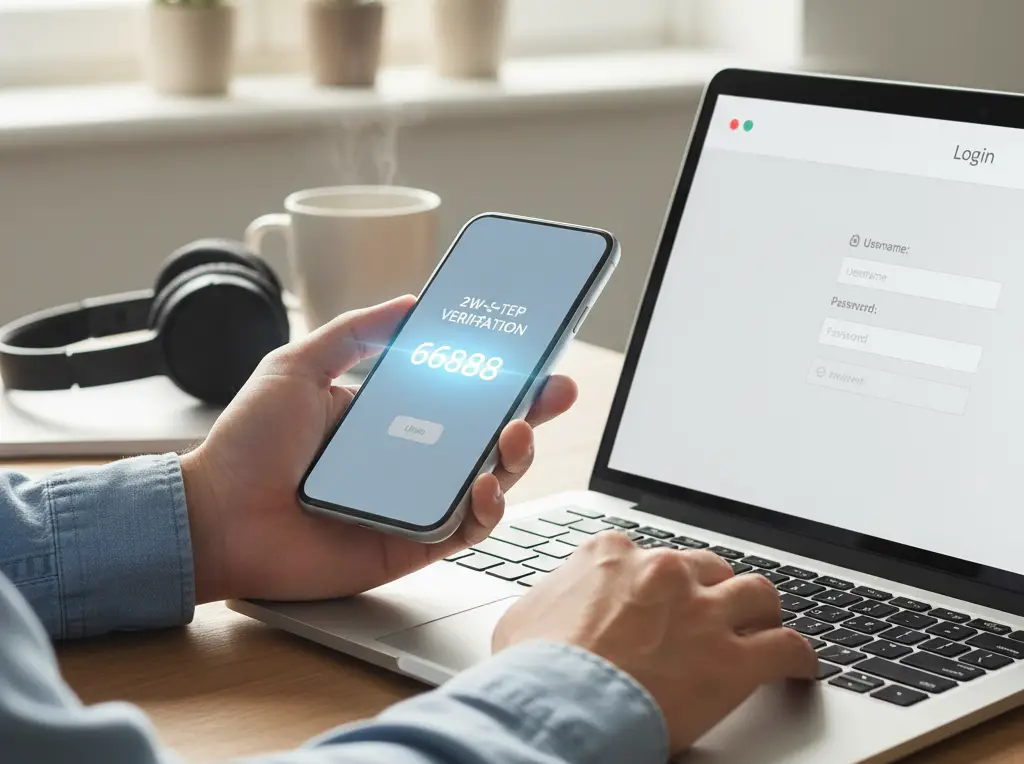
<p> Yes, you have heard it before—but multi-factor authentication (MFA) remains one of the most effective ways to keep your accounts safe. Cybersecurity professionals swear by it, because even if hackers manage to steal your password, they will still have to jump through another hoop to get in.

This second step could be a code sent to your phone, a push notification from an authenticator app, or even a physical security key. It may feel like a small hassle, but it is far less inconvenient than dealing with a drained bank account or a hacked email inbox. If you only take one step from this list today, make it turning on MFA for your most important accounts like banking, email, and cloud storage. </p> :: Gemini

Yes, you have heard it before—but multi-factor authentication (MFA) remains one of the most effective ways to keep your accounts safe. Cybersecurity professionals swear by it, because even if hackers manage to steal your password, they will still have to jump through another hoop to get in.

This second step could be a code sent to your phone, a push notification from an authenticator app, or even a physical security key. It may feel like a small hassle, but it is far less inconvenient than dealing with a drained bank account or a hacked email inbox. If you only take one step from this list today, make it turning on MFA for your most important accounts like banking, email, and cloud storage.

4. Use a Password Manager and Ditch Reused Passwords

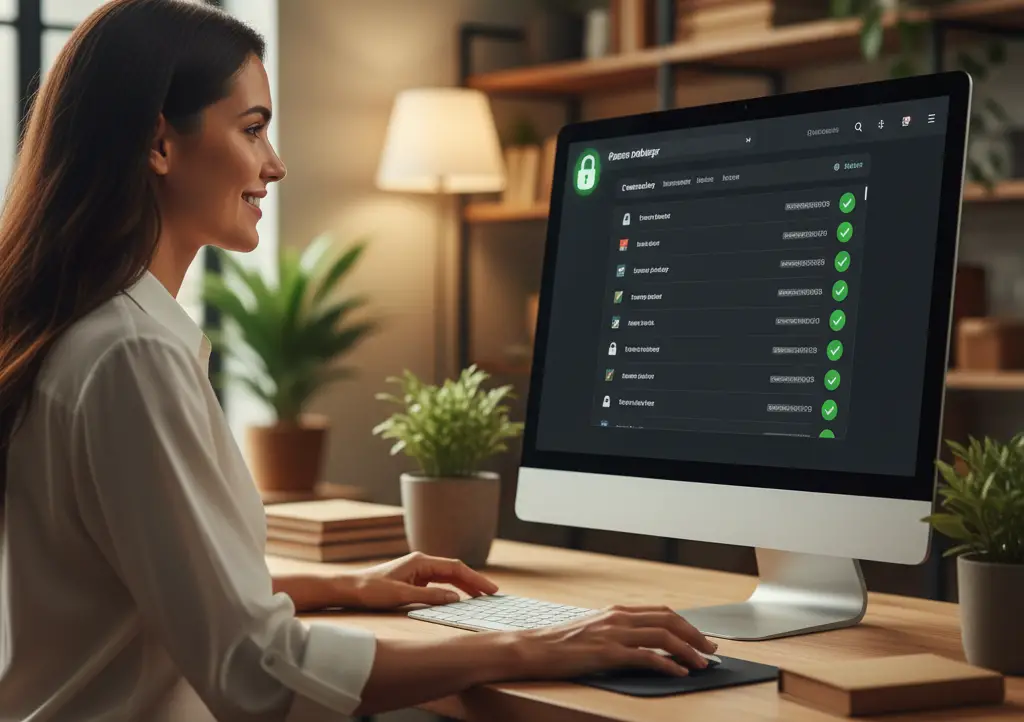
<p> Reusing the same password across multiple accounts is like giving burglars a master key to your entire house. Tech experts know this, which is why they rely on password managers to keep things secure.

A trusted password manager does the hard work for you. It generates long, complex passwords, stores them securely, and autofills them when needed. Many also alert you if one of your accounts has been involved in a data breach. This way, you never have to remember (or worse, write down) a dozen complicated passwords. All you need is one strong master password, and the software handles the rest. It is one of the simplest yet most powerful upgrades you can make for your online safety. </p> :: Gemini

Reusing the same password across multiple accounts is like giving burglars a master key to your entire house. Tech experts know this, which is why they rely on password managers to keep things secure.

A trusted password manager does the hard work for you. It generates long, complex passwords, stores them securely, and autofills them when needed. Many also alert you if one of your accounts has been involved in a data breach. This way, you never have to remember (or worse, write down) a dozen complicated passwords. All you need is one strong master password, and the software handles the rest. It is one of the simplest yet most powerful upgrades you can make for your online safety.

5. Keep Devices and Software Updated Automatically

<p> Here is a truth that cybersecurity pros know all too well: outdated software is a hacker’s playground. Attackers actively look for weaknesses in operating systems, apps, and even the firmware that powers your router or smart TV.

The easiest defense? Turn on automatic updates. Most modern devices allow you to schedule updates overnight so you barely notice them. Whether it is your smartphone, computer, or smart thermostat, keeping everything patched ensures you are not leaving open doors for intruders. It is like changing the locks on your house after losing a key—better safe than sorry. </p> :: Freepik



Here is a truth that cybersecurity pros know all too well: outdated software is a hacker’s playground. Attackers actively look for weaknesses in operating systems, apps, and even the firmware that powers your router or smart TV.

The easiest defense? Turn on automatic updates. Most modern devices allow you to schedule updates overnight so you barely notice them. Whether it is your smartphone, computer, or smart thermostat, keeping everything patched ensures you are not leaving open doors for intruders. It is like changing the locks on your house after losing a key—better safe than sorry.

6. Segment Your Networks for Better Security

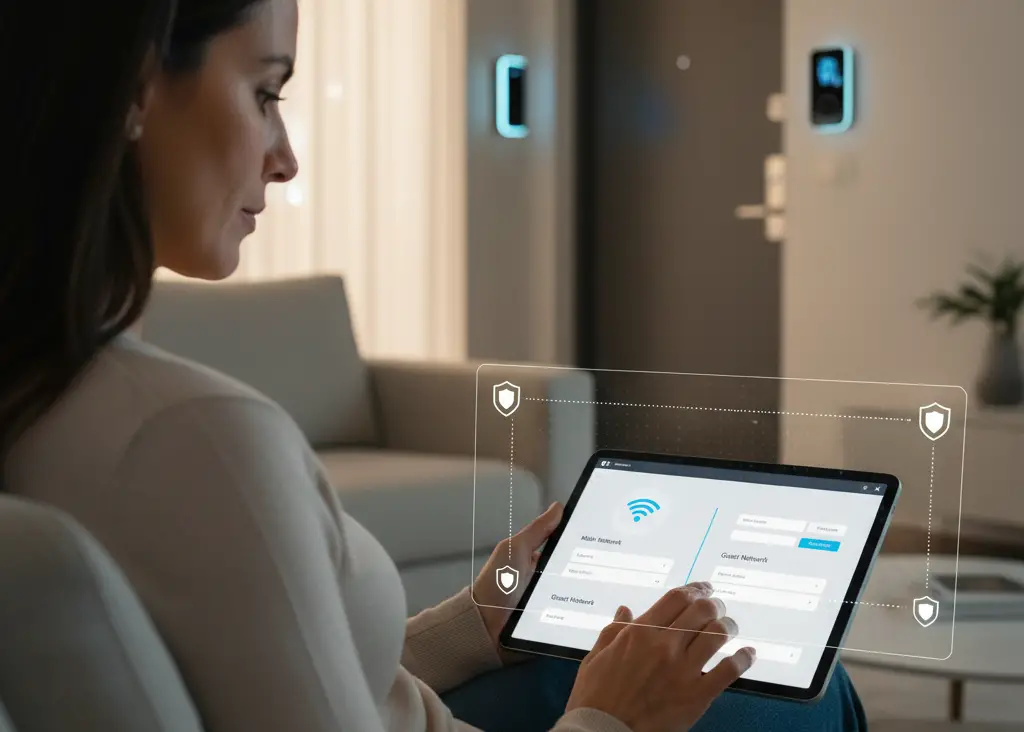
<p> Our homes are filled with internet-connected devices these days, from smart speakers to video doorbells. While they are convenient, they can also create weak points for attackers. That is why experts recommend network segmentation.

This simply means separating your devices into different networks. Your sensitive gadgets—like laptops, work computers, and phones—should live on a primary network, while smart gadgets stay on a secondary or “guest” network. Many modern routers make this setup surprisingly easy. That way, if one of your IoT devices gets hacked, it will not give cybercriminals a direct path to your personal data. </p> :: Gemini

Our homes are filled with internet-connected devices these days, from smart speakers to video doorbells. While they are convenient, they can also create weak points for attackers. That is why experts recommend network segmentation.

This simply means separating your devices into different networks. Your sensitive gadgets—like laptops, work computers, and phones—should live on a primary network, while smart gadgets stay on a secondary or “guest” network. Many modern routers make this setup surprisingly easy. That way, if one of your IoT devices gets hacked, it will not give cybercriminals a direct path to your personal data.

7. Stay Skeptical of Phishing and AI-Powered Scams

<p> Phishing emails have been around for years, but recently they have gotten much harder to spot. With the rise of AI, scammers can now create emails that look shockingly authentic or even generate deepfake audio that mimics the voice of someone you know.

Experts recommend slowing down before responding to anything that feels urgent or suspicious. If your “bank” emails asking you to verify your account immediately, do not click the link. Instead, go directly to the bank’s website or call their official number. The same goes for texts, social media messages, and even phone calls. A little skepticism can save you from a big headache. </p> :: Gemini

Phishing emails have been around for years, but recently they have gotten much harder to spot. With the rise of AI, scammers can now create emails that look shockingly authentic or even generate deepfake audio that mimics the voice of someone you know.

Experts recommend slowing down before responding to anything that feels urgent or suspicious. If your “bank” emails asking you to verify your account immediately, do not click the link. Instead, go directly to the bank’s website or call their official number. The same goes for texts, social media messages, and even phone calls. A little skepticism can save you from a big headache.

8. Back Up Your Data and Practice Recovery

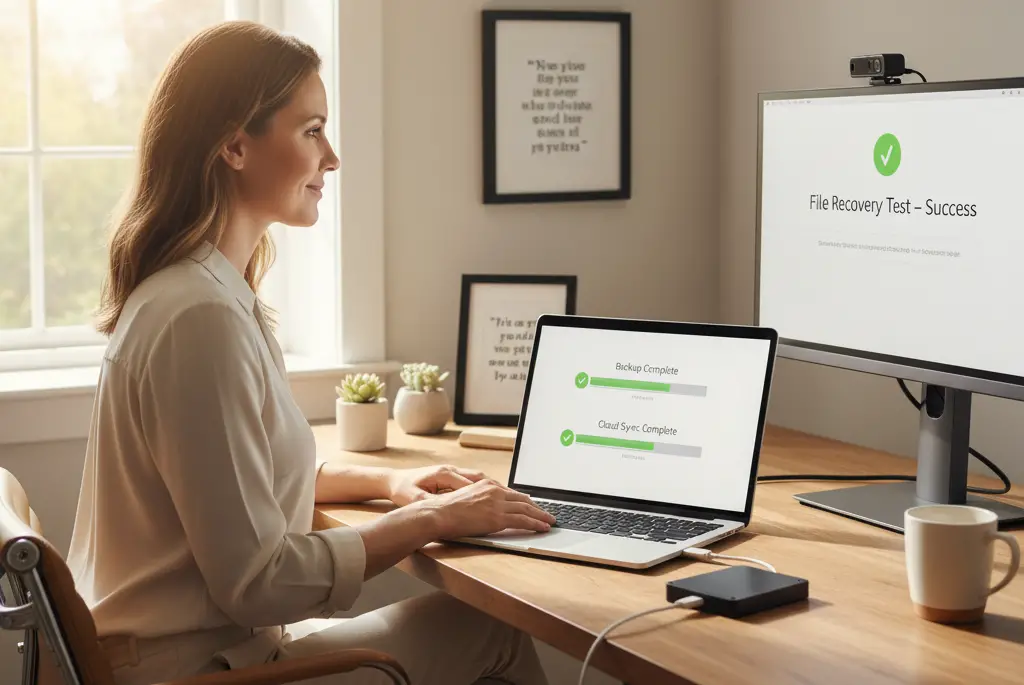
<p> Even the best defenses are not perfect, and tech pros know it. That is why they always have a backup plan—literally. Regularly backing up your data ensures that if ransomware or another attack locks you out, you will not lose everything.

But here is the step many people forget: practice recovery. It is not enough to just save your files to an external hard drive or cloud service—you should occasionally test restoring them to make sure everything works. When disaster strikes, being able to recover quickly is just as important as having the backup in the first place. </p> :: Gemini

Even the best defenses are not perfect, and tech pros know it. That is why they always have a backup plan—literally. Regularly backing up your data ensures that if ransomware or another attack locks you out, you will not lose everything.

But here is the step many people forget: practice recovery. It is not enough to just save your files to an external hard drive or cloud service—you should occasionally test restoring them to make sure everything works. When disaster strikes, being able to recover quickly is just as important as having the backup in the first place.

Final Thoughts

<p> Cybersecurity might seem intimidating, but at its core, it is about building good habits and staying a step ahead of attackers. What sets tech experts apart is not that they never face risks, but that they approach digital safety with layered defenses and smart planning.

The great news is you do not need to adopt all eight habits at once. Start with one—turn on multi-factor authentication, set up automatic updates, or try out a password manager. Then add another, and another, until your online life feels more secure.

The threats are real, but so are the tools at your disposal. By borrowing these strategies from the experts, you can transform yourself from an easy target into a tough one. And when it comes to cybersecurity, being tougher to crack than the next person can make all the difference. </p> :: Gemini

Cybersecurity might seem intimidating, but at its core, it is about building good habits and staying a step ahead of attackers. What sets tech experts apart is not that they never face risks, but that they approach digital safety with layered defenses and smart planning.

The great news is you do not need to adopt all eight habits at once. Start with one—turn on multi-factor authentication, set up automatic updates, or try out a password manager. Then add another, and another, until your online life feels more secure.

The threats are real, but so are the tools at your disposal. By borrowing these strategies from the experts, you can transform yourself from an easy target into a tough one. And when it comes to cybersecurity, being tougher to crack than the next person can make all the difference.

Filed Under: Tech

Tech Made Easy: 10 Simple Gadgets Every Senior Should Try!

October 17, 2025 | Leave a Comment

Tech Made Easy: 10 Simple Gadgets Every Senior Should Try!

<p>Technology does not have to be hard. Today, there are plenty of easy-to-use gadgets that make life simpler, safer, and more fun. Whether you want to stay in touch with family, improve daily tasks, or just enjoy some entertainment, there is a device for you. Many seniors worry about learning new tech, but the right gadgets take the stress away. Below are ten simple, senior-friendly devices that can make everyday life easier.</p> ::Pexels

Technology does not have to be hard. Today, there are plenty of easy-to-use gadgets that make life simpler, safer, and more fun. Whether you want to stay in touch with family, improve daily tasks, or just enjoy some entertainment, there is a device for you. Many seniors worry about learning new tech, but the right gadgets take the stress away. Below are ten simple, senior-friendly devices that can make everyday life easier.


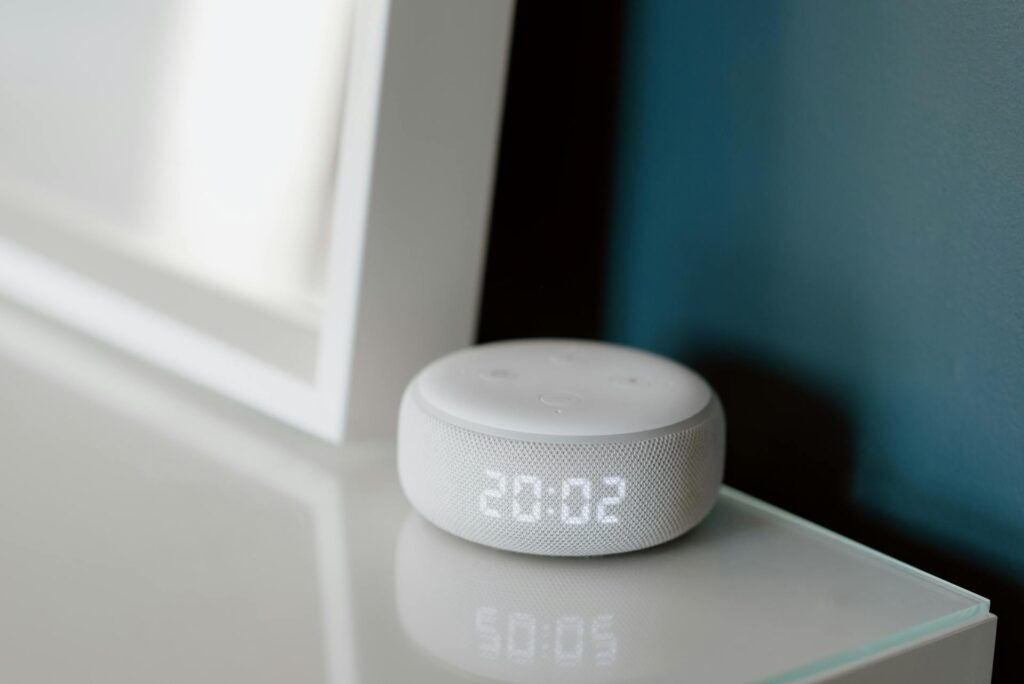
1. Smart Speaker (Amazon Echo or Google Nest)

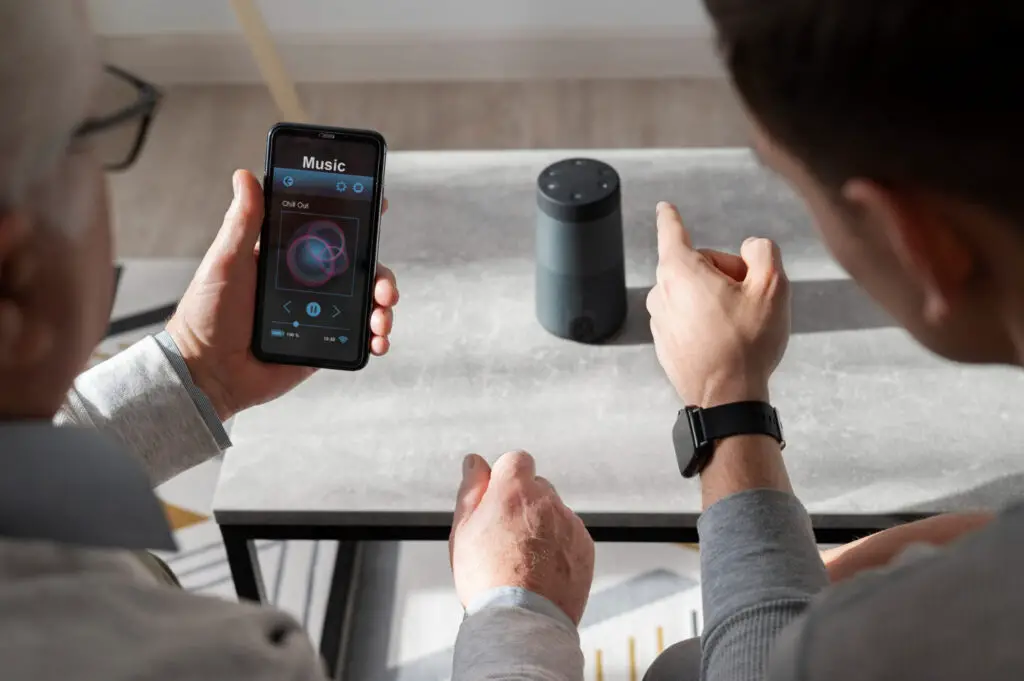
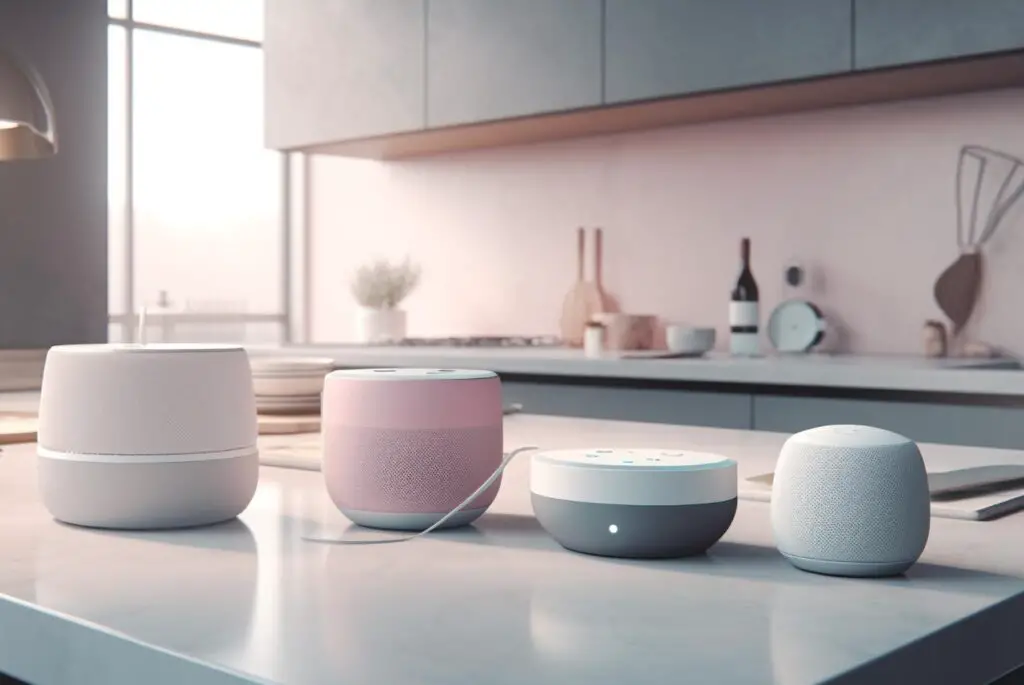
<p>A smart speaker is like having a helpful assistant in your home. With just your voice, you can ask it for news, weather updates, or even jokes. It can also play music, set reminders, and control smart home devices like lights and thermostats. Many seniors love them for hands-free convenience. The most popular models, Amazon Echo and Google Nest, are easy to set up and understand. Once you start using one, you may wonder how you lived without it!</p> ::Pexels

A smart speaker is like having a helpful assistant in your home. With just your voice, you can ask it for news, weather updates, or even jokes. It can also play music, set reminders, and control smart home devices like lights and thermostats. Many seniors love them for hands-free convenience. The most popular models, Amazon Echo and Google Nest, are easy to set up and understand. Once you start using one, you may wonder how you lived without it!


2. Big Button Cell Phone

<p>Not all phones are made for younger people. Big button cell phones, like the Jitterbug Flip2, offer simple menus and loud, clear sound. They are perfect for making calls, sending texts, and even using emergency services. Some models come with a dedicated button that connects directly to help when needed. These phones are easy to use, with no complicated apps or tiny buttons to deal with. If you want a phone that works without confusion, this is a great option.</p> ::Pexels

Not all phones are made for younger people. Big button cell phones, like the Jitterbug Flip2, offer simple menus and loud, clear sound. They are perfect for making calls, sending texts, and even using emergency services. Some models come with a dedicated button that connects directly to help when needed. These phones are easy to use, with no complicated apps or tiny buttons to deal with. If you want a phone that works without confusion, this is a great option.


3. Digital Picture Frame

<p>A digital picture frame is a great way to keep your favorite memories on display. Instead of printing photos, you or your family can upload pictures that change automatically. Some frames allow loved ones to send photos straight to the device, keeping you updated with new moments. It is a wonderful way to feel close to family, even if they live far away. Easy to set up and requiring no effort once running, it is a great addition to any home.</p> ::Unsplash

A digital picture frame is a great way to keep your favorite memories on display. Instead of printing photos, you or your family can upload pictures that change automatically. Some frames allow loved ones to send photos straight to the device, keeping you updated with new moments. It is a wonderful way to feel close to family, even if they live far away. Easy to set up and requiring no effort once running, it is a great addition to any home.


4. Wearable Health Tracker

<p>Devices like Fitbit and Apple Watch do more than tell time. They track your steps, heart rate, and even sleep patterns. These small devices help you stay active and monitor your health in real time. Some models can even detect falls and send alerts if needed. Simple displays and long battery life make them great for daily use. Whether you want to stay fit or just keep an eye on your heart, these trackers are a great tool.</p> ::Pexels

Devices like Fitbit and Apple Watch do more than tell time. They track your steps, heart rate, and even sleep patterns. These small devices help you stay active and monitor your health in real time. Some models can even detect falls and send alerts if needed. Simple displays and long battery life make them great for daily use. Whether you want to stay fit or just keep an eye on your heart, these trackers are a great tool.


5. TV Streaming Device

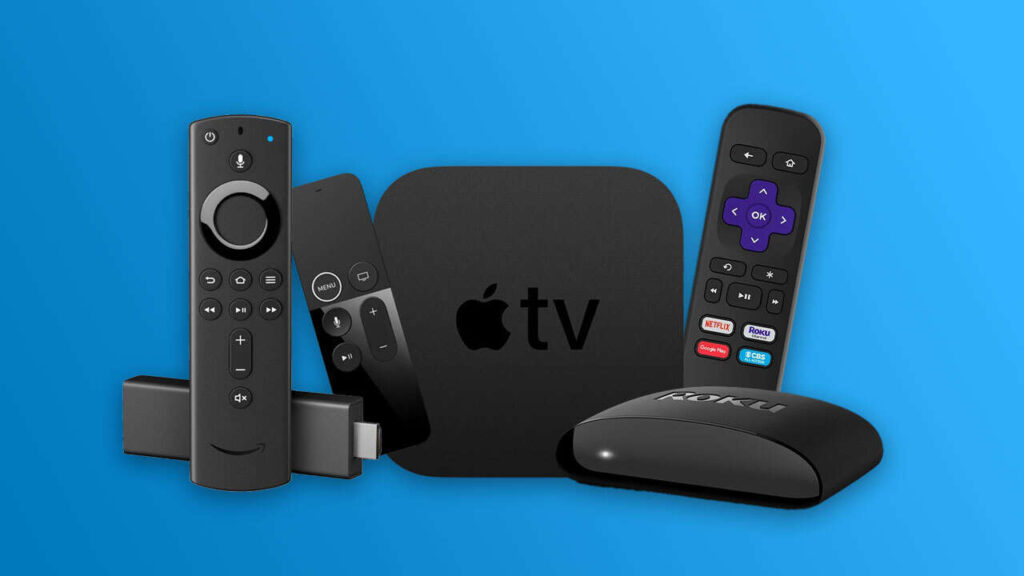
<p>Streaming devices, like Roku and Amazon Fire Stick, make watching TV much easier. Instead of dealing with complicated cable setups, you can access shows and movies with just a remote. Popular services like Netflix, Hulu, and YouTube work with a simple click. These devices are great for seniors who love entertainment but dislike confusing menus. Once set up, you can enjoy endless content without frustration.</p> ::Pexels

Streaming devices, like Roku and Amazon Fire Stick, make watching TV much easier. Instead of dealing with complicated cable setups, you can access shows and movies with just a remote. Popular services like Netflix, Hulu, and YouTube work with a simple click. These devices are great for seniors who love entertainment but dislike confusing menus. Once set up, you can enjoy endless content without frustration.


6. Automatic Pill Dispenser

<p>Managing medications can be tricky, but an automatic pill dispenser takes the guesswork out of it. These devices store and sort pills, giving reminders when it is time to take them. Some models even lock until the right time, preventing missed doses. This is especially helpful for seniors who take multiple medications. With a dispenser, staying on track with prescriptions becomes effortless and stress-free.</p> ::Pexels

Managing medications can be tricky, but an automatic pill dispenser takes the guesswork out of it. These devices store and sort pills, giving reminders when it is time to take them. Some models even lock until the right time, preventing missed doses. This is especially helpful for seniors who take multiple medications. With a dispenser, staying on track with prescriptions becomes effortless and stress-free.


7. Video Calling Device

<p>Staying connected with family is easier than ever with video calling devices like Facebook Portal or GrandPad. Unlike a computer or smartphone, these devices are made for simple, one-touch calling. Many seniors find them more comfortable than traditional video calls. Large screens and clear sound make conversations feel natural and enjoyable. If you want an easy way to see loved ones face-to-face, this is a great choice.</p> ::Pexels

Staying connected with family is easier than ever with video calling devices like Facebook Portal or GrandPad. Unlike a computer or smartphone, these devices are made for simple, one-touch calling. Many seniors find them more comfortable than traditional video calls. Large screens and clear sound make conversations feel natural and enjoyable. If you want an easy way to see loved ones face-to-face, this is a great choice.


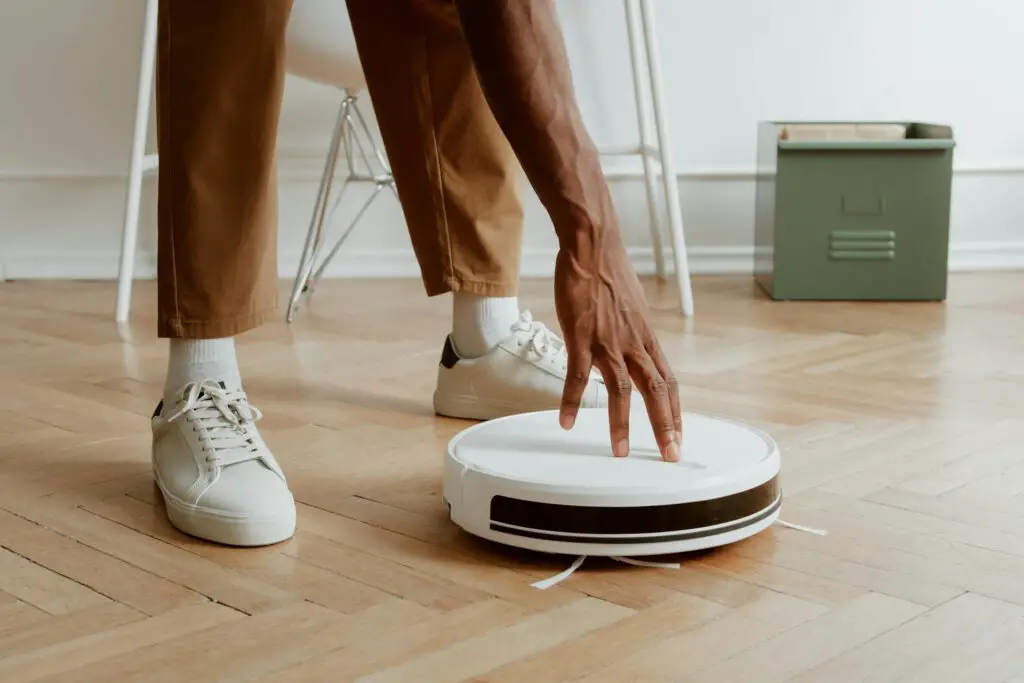
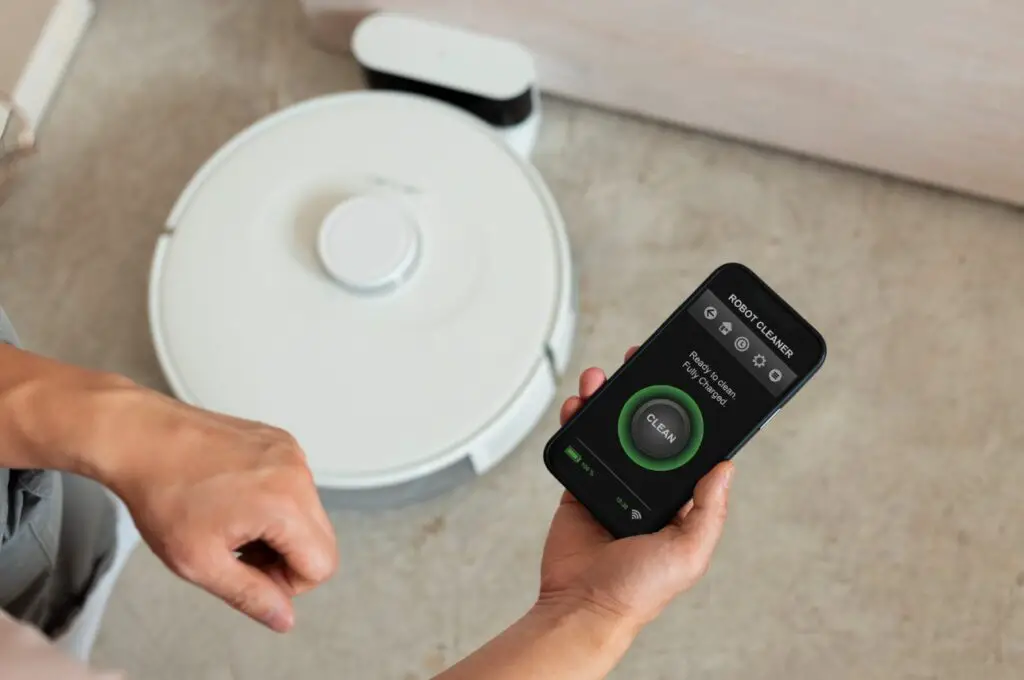
8. Robot Vacuum

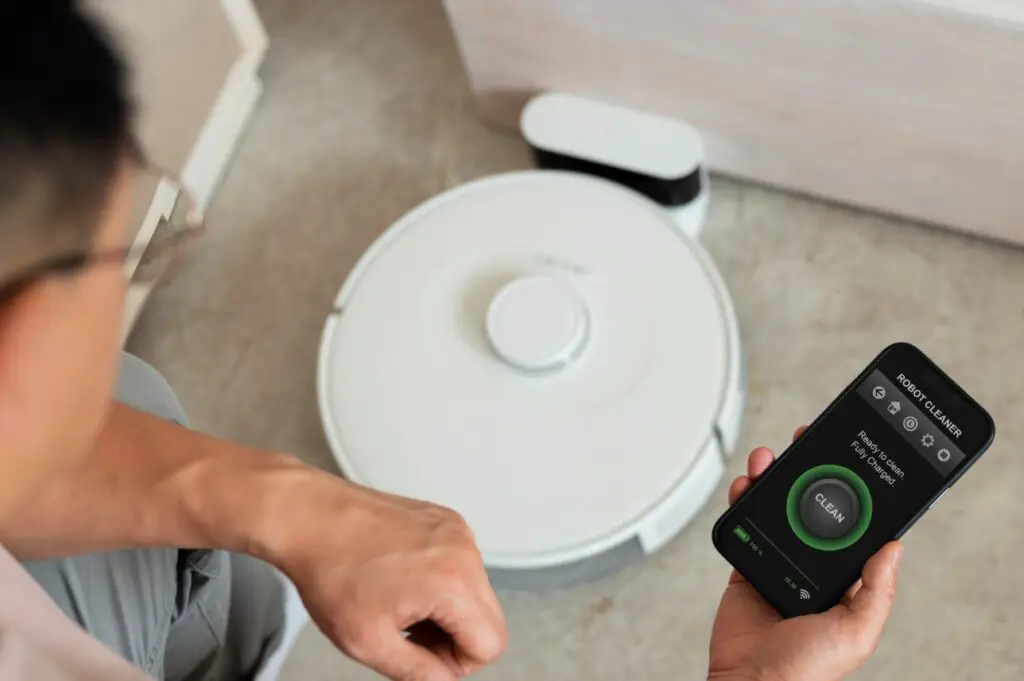
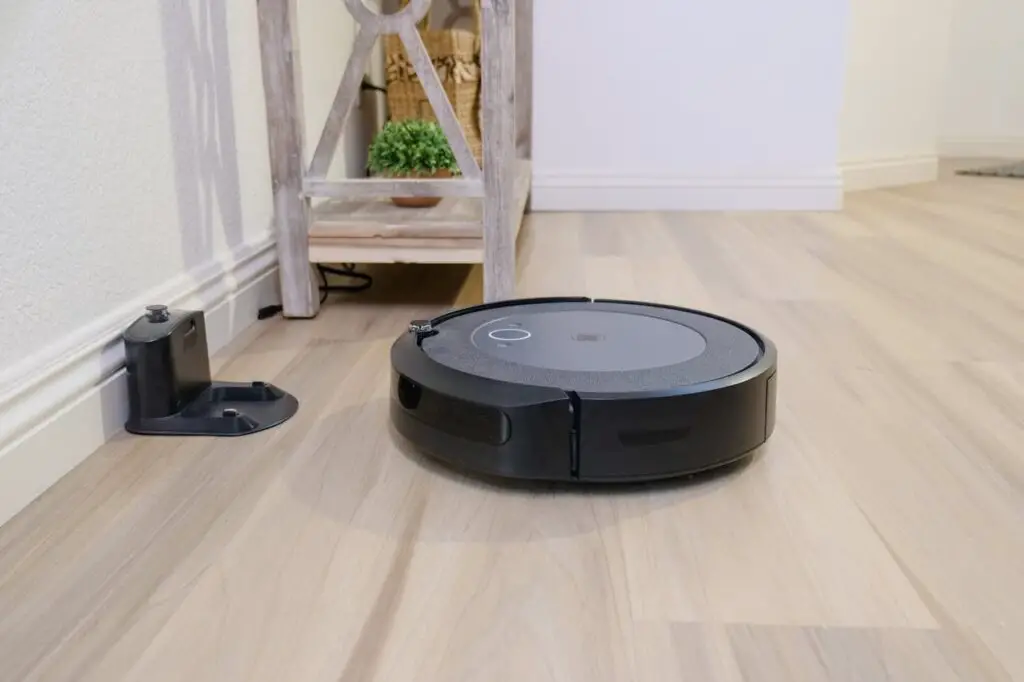
<p>Household chores can be tiring, but a robot vacuum can take care of the floors for you. Brands like Roomba and Eufy automatically clean without you having to lift a finger. They work on different surfaces, picking up dust, pet hair, and crumbs. Some even return to their charging stations when done. With a robot vacuum, you can enjoy a cleaner home with zero effort.</p> ::Pexels

Household chores can be tiring, but a robot vacuum can take care of the floors for you. Brands like Roomba and Eufy automatically clean without you having to lift a finger. They work on different surfaces, picking up dust, pet hair, and crumbs. Some even return to their charging stations when done. With a robot vacuum, you can enjoy a cleaner home with zero effort.


9. Smart Light Bulbs

<p>Smart light bulbs are a small upgrade that makes a big difference. With a simple voice command or app, you can turn lights on or off without getting up. Some models even adjust brightness or change colors to match your mood. These bulbs help prevent falls by making sure rooms are well-lit when needed. They are easy to install and work with most standard lamps.</p> ::Pexels

Smart light bulbs are a small upgrade that makes a big difference. With a simple voice command or app, you can turn lights on or off without getting up. Some models even adjust brightness or change colors to match your mood. These bulbs help prevent falls by making sure rooms are well-lit when needed. They are easy to install and work with most standard lamps.


10. E-Reader (Kindle or Nook)

<p>For seniors who love reading, an e-reader is a game changer. Devices like the Kindle and Nook let you carry thousands of books in one small, lightweight gadget. Adjustable text sizes make reading easier on the eyes. The screens are designed to look like paper, reducing glare and eye strain. If you want to read without heavy books or tiny print, an e-reader is the perfect solution.</p> ::Pexels

For seniors who love reading, an e-reader is a game changer. Devices like the Kindle and Nook let you carry thousands of books in one small, lightweight gadget. Adjustable text sizes make reading easier on the eyes. The screens are designed to look like paper, reducing glare and eye strain. If you want to read without heavy books or tiny print, an e-reader is the perfect solution.


Conclusion

<p>Technology does not have to be overwhelming. These ten simple gadgets are designed to fit into everyday life without stress. Whether you want to stay connected, improve your health, or make daily tasks easier, there is something here for you. Many seniors who try these devices find them helpful and easy to use. With the right tools, technology can make life more comfortable and enjoyable. Give one a try—you may be surprised at how much you love it!</p> ::Pexels

Technology does not have to be overwhelming. These ten simple gadgets are designed to fit into everyday life without stress. Whether you want to stay connected, improve your health, or make daily tasks easier, there is something here for you. Many seniors who try these devices find them helpful and easy to use. With the right tools, technology can make life more comfortable and enjoyable. Give one a try—you may be surprised at how much you love it!

Filed Under: Tech

10 Must-Have Smart Kitchen Appliances That Make Cooking Easier

October 10, 2025 | Leave a Comment

10 Must-Have Smart Kitchen Appliances That Make Cooking Easier

<p> A well-equipped kitchen is not about having the most gadgets but about having the right ones. Smart kitchen appliances can save time, make cooking easier, and improve efficiency. The best part is that these devices are compact and do not take up unnecessary space. Whether you want to speed up meal prep, improve your cooking skills, or make mornings smoother, the right kitchen technology can be a game-changer. Here are ten small smart kitchen appliances that are actually worth it. </p> :: Freepik

A well-equipped kitchen is not about having the most gadgets but about having the right ones. Smart kitchen appliances can save time, make cooking easier, and improve efficiency. The best part is that these devices are compact and do not take up unnecessary space. Whether you want to speed up meal prep, improve your cooking skills, or make mornings smoother, the right kitchen technology can be a game-changer. Here are ten small smart kitchen appliances that are actually worth it.

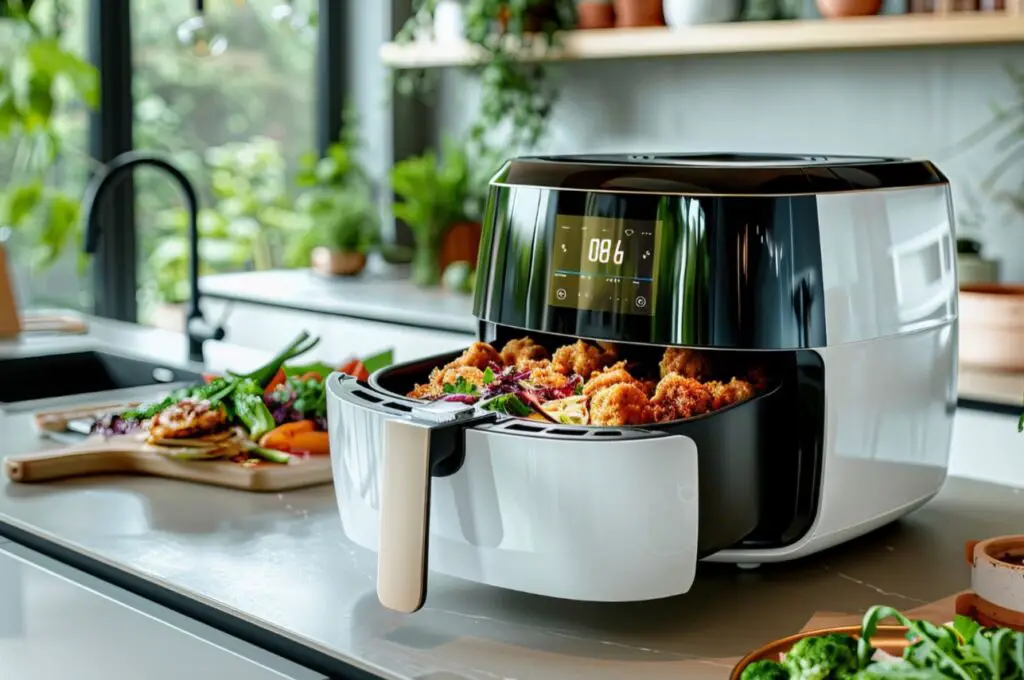
1. Smart Air Fryer

<p> An air fryer is already a must-have for those who love crispy food without the excess oil, but a smart air fryer makes it even better. These models come with app connectivity, allowing you to control cooking settings remotely, schedule cooking times, and even receive notifications when your food is ready. Many smart air fryers include built-in sensors that adjust temperature and cooking time for even crisping. Whether you want to roast vegetables, make fries, or cook frozen foods quickly, this device can save time while delivering great results. Some models even integrate with voice assistants, letting you cook hands-free with simple commands. </p> :: Freepik

An air fryer is already a must-have for those who love crispy food without the excess oil, but a smart air fryer makes it even better. These models come with app connectivity, allowing you to control cooking settings remotely, schedule cooking times, and even receive notifications when your food is ready. Many smart air fryers include built-in sensors that adjust temperature and cooking time for even crisping. Whether you want to roast vegetables, make fries, or cook frozen foods quickly, this device can save time while delivering great results. Some models even integrate with voice assistants, letting you cook hands-free with simple commands.

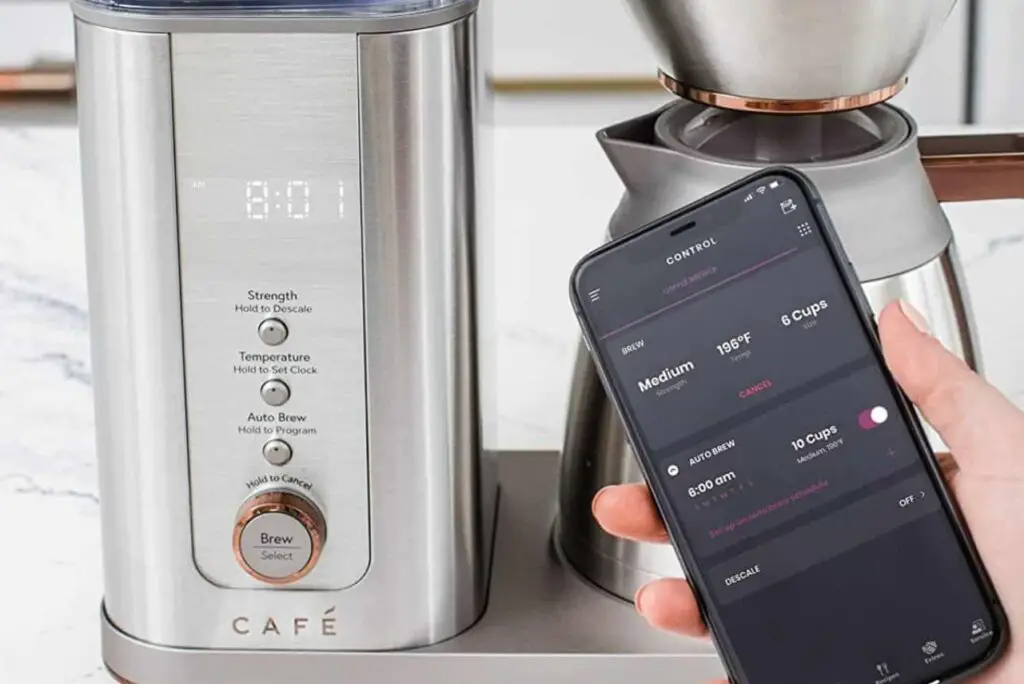
2. Wi-Fi-Enabled Coffee Maker

<p> Mornings can be hectic, and waiting for coffee to brew is not always ideal. A Wi-Fi-enabled coffee maker lets you schedule brews, customize coffee strength, and control settings through an app or voice commands. Some high-end models include built-in grinders for fresh coffee and automatic milk frothers for lattes and cappuccinos. Many smart coffee makers also track your coffee consumption and can reorder beans when you are running low. If you love waking up to the smell of freshly brewed coffee, this appliance is well worth the investment. Some models even allow you to create custom brewing profiles, ensuring your morning cup is always made to perfection. </p> :: coffeeness.de

Mornings can be hectic, and waiting for coffee to brew is not always ideal. A Wi-Fi-enabled coffee maker lets you schedule brews, customize coffee strength, and control settings through an app or voice commands. Some high-end models include built-in grinders for fresh coffee and automatic milk frothers for lattes and cappuccinos. Many smart coffee makers also track your coffee consumption and can reorder beans when you are running low. If you love waking up to the smell of freshly brewed coffee, this appliance is well worth the investment. Some models even allow you to create custom brewing profiles, ensuring your morning cup is always made to perfection.

3. Smart Toaster

<p> A toaster might seem like a simple appliance, but a smart toaster takes breakfast to the next level. These high-tech toasters have digital screens, multiple shade settings, and built-in sensors that adjust toasting time based on the type and thickness of bread. Some models even have a touchscreen interface where you can select options for bagels, waffles, or English muffins. With consistent results and no more guessing, a smart toaster ensures that your breakfast is toasted to perfection every time. Some models even offer "smart reheat" functions, allowing you to warm up bread without overcooking it, making your mornings even more convenient. </p> :: nutricookworld.com

A toaster might seem like a simple appliance, but a smart toaster takes breakfast to the next level. These high-tech toasters have digital screens, multiple shade settings, and built-in sensors that adjust toasting time based on the type and thickness of bread. Some models even have a touchscreen interface where you can select options for bagels, waffles, or English muffins. With consistent results and no more guessing, a smart toaster ensures that your breakfast is toasted to perfection every time. Some models even offer “smart reheat” functions, allowing you to warm up bread without overcooking it, making your mornings even more convenient.

4. Bluetooth-Connected Sous Vide Precision Cooker

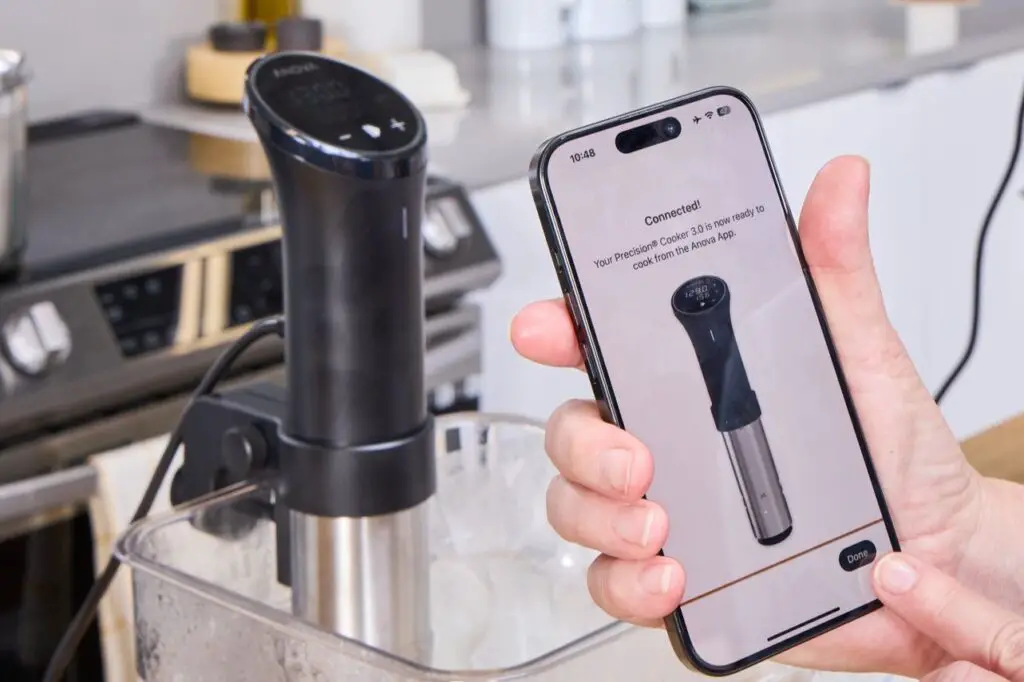
<p> If you want restaurant-quality meals at home, a sous vide cooker is a game-changer. A Bluetooth or Wi-Fi-connected sous vide device lets you control the temperature and cooking time from your smartphone, ensuring perfectly cooked food without any guesswork. Simply seal your ingredients in a bag, place them in water, and let the device cook everything at a precise temperature. Whether you are preparing steak, chicken, vegetables, or even desserts, a sous vide cooker makes it easy to achieve flawless results with minimal effort. Some smart models even offer guided recipes, allowing you to perfect your cooking technique with step-by-step instructions. </p> :: seriouseats.com

If you want restaurant-quality meals at home, a sous vide cooker is a game-changer. A Bluetooth or Wi-Fi-connected sous vide device lets you control the temperature and cooking time from your smartphone, ensuring perfectly cooked food without any guesswork. Simply seal your ingredients in a bag, place them in water, and let the device cook everything at a precise temperature. Whether you are preparing steak, chicken, vegetables, or even desserts, a sous vide cooker makes it easy to achieve flawless results with minimal effort. Some smart models even offer guided recipes, allowing you to perfect your cooking technique with step-by-step instructions.

5. Smart Instant Pot

<p> The Instant Pot is already a kitchen staple for many, but the smart version adds even more convenience. With app connectivity, you can adjust cooking settings remotely, receive notifications when your meal is ready, and access an extensive recipe library. A smart Instant Pot works as a pressure cooker, slow cooker, rice cooker, and yogurt maker, making it one of the most versatile appliances you can own. If you want to prepare home-cooked meals without spending hours in the kitchen, this smart upgrade is well worth considering. Some models also have voice control options, letting you start cooking without even touching the device. </p> :: thegadgetflow.com

The Instant Pot is already a kitchen staple for many, but the smart version adds even more convenience. With app connectivity, you can adjust cooking settings remotely, receive notifications when your meal is ready, and access an extensive recipe library. A smart Instant Pot works as a pressure cooker, slow cooker, rice cooker, and yogurt maker, making it one of the most versatile appliances you can own. If you want to prepare home-cooked meals without spending hours in the kitchen, this smart upgrade is well worth considering. Some models also have voice control options, letting you start cooking without even touching the device.

6. Wi-Fi-Connected Smart Blender

<p> A high-quality blender is essential for smoothies, soups, and sauces, and a smart blender makes the process even easier. These blenders come with app connectivity, allowing you to start, stop, and adjust blending cycles remotely. Some models even include built-in recipe guides and nutrition tracking features. Smart blenders also have sensors that automatically adjust speed and power based on the ingredients, ensuring smooth and consistent results. Whether you are making a protein shake or homemade nut butter, a smart blender simplifies meal prep and reduces mess. Some high-end models even allow you to customize blending presets, making it easy to create your favorite recipes with one touch. </p> :: Philips

A high-quality blender is essential for smoothies, soups, and sauces, and a smart blender makes the process even easier. These blenders come with app connectivity, allowing you to start, stop, and adjust blending cycles remotely. Some models even include built-in recipe guides and nutrition tracking features. Smart blenders also have sensors that automatically adjust speed and power based on the ingredients, ensuring smooth and consistent results. Whether you are making a protein shake or homemade nut butter, a smart blender simplifies meal prep and reduces mess. Some high-end models even allow you to customize blending presets, making it easy to create your favorite recipes with one touch.

7. Smart Meat Thermometer

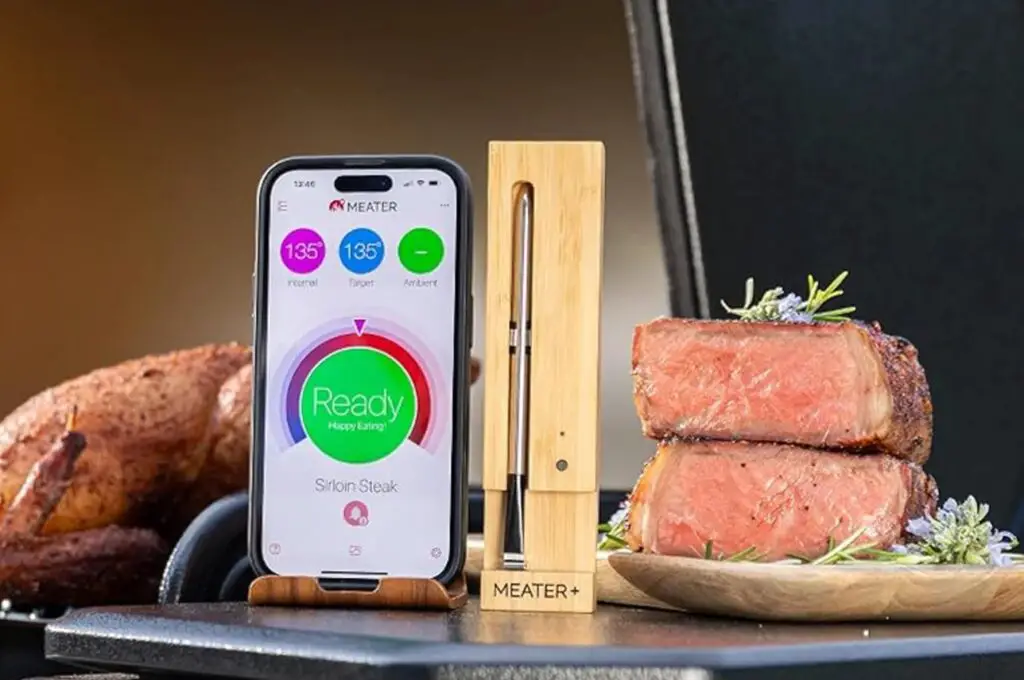
<p> A smart meat thermometer is an essential tool for grilling, roasting, or slow cooking. Unlike traditional thermometers, these devices sync with an app to provide real-time temperature updates, so you know exactly when your food is done. Many models come with preset cooking temperatures for different meats, ensuring that you never overcook or undercook a meal again. Whether you are cooking steak, chicken, or a holiday roast, a smart thermometer helps you achieve perfect results without constantly checking on your food. Some models even offer estimated cooking completion times, giving you a better idea of when your meal will be ready. </p> :: MEATER | gizmodo.com

A smart meat thermometer is an essential tool for grilling, roasting, or slow cooking. Unlike traditional thermometers, these devices sync with an app to provide real-time temperature updates, so you know exactly when your food is done. Many models come with preset cooking temperatures for different meats, ensuring that you never overcook or undercook a meal again. Whether you are cooking steak, chicken, or a holiday roast, a smart thermometer helps you achieve perfect results without constantly checking on your food. Some models even offer estimated cooking completion times, giving you a better idea of when your meal will be ready.

8. Smart Food Scale

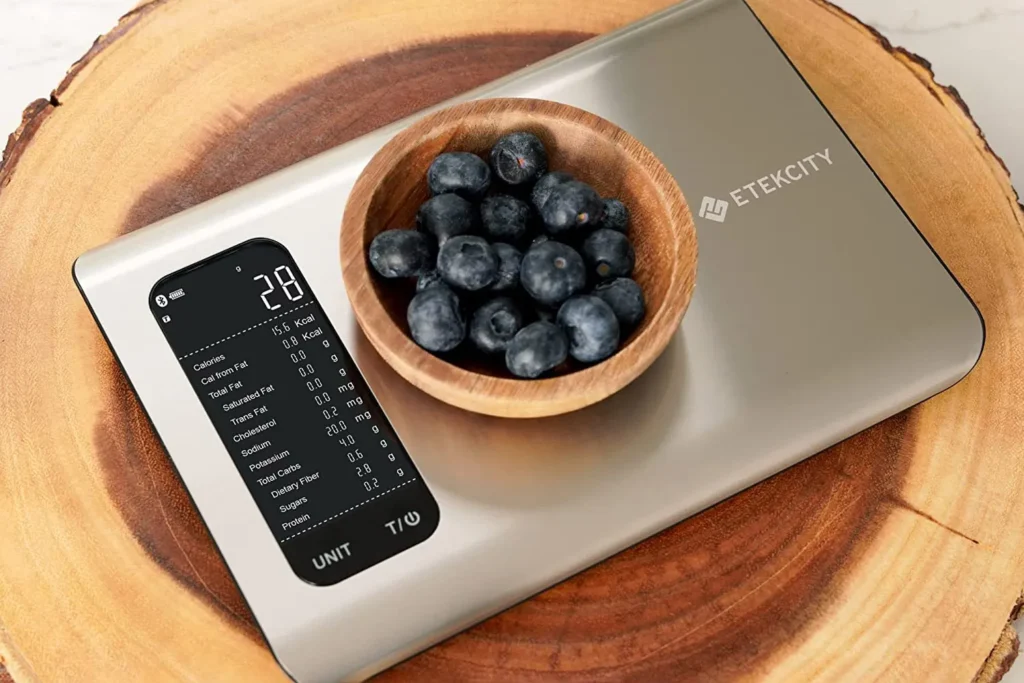
<p> A smart food scale is perfect for those who love baking, meal prepping, or tracking nutrition. These scales connect to an app that provides precise weight measurements and nutritional data, making it easier to portion food accurately. Some models even suggest recipe adjustments based on ingredient weights and dietary goals. If you are focused on healthy eating or need precision in cooking, a smart food scale can make a significant difference in your kitchen. Some smart scales even integrate with meal planning apps, making it easier to track calories and macronutrients effortlessly. </p> :: Digital Trends

A smart food scale is perfect for those who love baking, meal prepping, or tracking nutrition. These scales connect to an app that provides precise weight measurements and nutritional data, making it easier to portion food accurately. Some models even suggest recipe adjustments based on ingredient weights and dietary goals. If you are focused on healthy eating or need precision in cooking, a smart food scale can make a significant difference in your kitchen. Some smart scales even integrate with meal planning apps, making it easier to track calories and macronutrients effortlessly.

9. Automatic Pan Stirrer with Timer

<p> Cooking sauces, soups, or custards often requires constant stirring to prevent burning, which can be tiring. An automatic pan stirrer takes care of the task for you, allowing you to step away while your dish simmers. These compact devices come with adjustable speeds and built-in timers, ensuring that your food is evenly mixed and does not stick to the pan. Whether you are making homemade caramel or a creamy pasta sauce, this handy appliance helps save time and effort. Some models even have rechargeable batteries and multiple speed settings, allowing for more precise stirring control. </p> :: odditymall.com

Cooking sauces, soups, or custards often requires constant stirring to prevent burning, which can be tiring. An automatic pan stirrer takes care of the task for you, allowing you to step away while your dish simmers. These compact devices come with adjustable speeds and built-in timers, ensuring that your food is evenly mixed and does not stick to the pan. Whether you are making homemade caramel or a creamy pasta sauce, this handy appliance helps save time and effort. Some models even have rechargeable batteries and multiple speed settings, allowing for more precise stirring control.

10. Smart Ice Maker

<p> For those who entertain guests or simply love iced drinks, a smart ice maker is a worthwhile investment. These compact machines produce ice cubes faster than a standard freezer and often allow you to customize the size and shape of the ice. Many smart ice makers can be controlled through an app, so you can start making ice before a party or dinner gathering. Some models even have self-cleaning features, ensuring that you always have fresh, clean ice for cocktails, iced coffee, or smoothies. Some high-tech versions even monitor water levels and alert you when it is time for a refill. </p> :: hip2save.com

For those who entertain guests or simply love iced drinks, a smart ice maker is a worthwhile investment. These compact machines produce ice cubes faster than a standard freezer and often allow you to customize the size and shape of the ice. Many smart ice makers can be controlled through an app, so you can start making ice before a party or dinner gathering. Some models even have self-cleaning features, ensuring that you always have fresh, clean ice for cocktails, iced coffee, or smoothies. Some high-tech versions even monitor water levels and alert you when it is time for a refill.

Final Thoughts

<p> Technology has changed the way we cook, making it easier than ever to prepare delicious meals with minimal effort. These ten small smart kitchen appliances offer real benefits, from saving time to improving cooking precision. Whether you are a home cook looking to upgrade your kitchen or someone who simply wants to make life easier, these smart devices are truly worth considering. Would you add any of these appliances to your kitchen? Share your thoughts on which smart gadget you find most useful! </p> :: Pexels

Technology has changed the way we cook, making it easier than ever to prepare delicious meals with minimal effort. These ten small smart kitchen appliances offer real benefits, from saving time to improving cooking precision. Whether you are a home cook looking to upgrade your kitchen or someone who simply wants to make life easier, these smart devices are truly worth considering. Would you add any of these appliances to your kitchen? Share your thoughts on which smart gadget you find most useful!

Filed Under: Tech

7 Simple Ways Baby Boomers Can Embrace Technology and Stay Connected

October 3, 2025 | Leave a Comment

7 Simple Ways Baby Boomers Can Embrace Technology and Stay Connected

<p> Technology is advancing at lightning speed, and for many baby boomers, keeping up with the latest digital trends can feel overwhelming. But here is the good news—learning how to use technology does not have to be frustrating or complicated. In fact, once you get the hang of it, you will wonder how you ever lived without it. Whether you want to video chat with your grandkids, explore social media, shop online, or just make daily tasks easier, embracing technology can open up a world of possibilities. The key is to start small, take it step by step, and focus on the tools that will make your life more convenient and enjoyable. Here are seven simple ways to get started. </p> :: Pexels

Technology is advancing at lightning speed, and for many baby boomers, keeping up with the latest digital trends can feel overwhelming. But here is the good news—learning how to use technology does not have to be frustrating or complicated. In fact, once you get the hang of it, you will wonder how you ever lived without it. Whether you want to video chat with your grandkids, explore social media, shop online, or just make daily tasks easier, embracing technology can open up a world of possibilities. The key is to start small, take it step by step, and focus on the tools that will make your life more convenient and enjoyable. Here are seven simple ways to get started.

1. Get Comfortable with Smartphones and Tablets

<p> If you feel like your smartphone or tablet is more confusing than helpful, you are not alone. Many baby boomers struggle with new devices at first, but with a little practice, they quickly become second nature. Smartphones and tablets can help you stay in touch with family, check the news, watch videos, and even keep track of your health. If you are not sure where to begin, start with the basics—making phone calls, sending texts, and using apps like email and maps. Many community centers and libraries offer free tech classes for seniors, which can be a great way to learn in a stress-free environment. If you prefer learning at your own pace, YouTube tutorials and step-by-step guides can also help you build confidence. </p> :: Pexels

If you feel like your smartphone or tablet is more confusing than helpful, you are not alone. Many baby boomers struggle with new devices at first, but with a little practice, they quickly become second nature. Smartphones and tablets can help you stay in touch with family, check the news, watch videos, and even keep track of your health. If you are not sure where to begin, start with the basics—making phone calls, sending texts, and using apps like email and maps. Many community centers and libraries offer free tech classes for seniors, which can be a great way to learn in a stress-free environment. If you prefer learning at your own pace, YouTube tutorials and step-by-step guides can also help you build confidence.

2. Stay Connected with Video Calls

<p> Remember when keeping in touch meant writing letters or making long-distance calls? Today, staying connected is easier than ever, thanks to video calling. Apps like FaceTime, Zoom, WhatsApp, and Skype let you see and talk to your loved ones in real time, no matter where they are. Video calls are perfect for catching up with family, celebrating birthdays, or even attending virtual doctor appointments. If you are new to video calling, ask a family member to help you set it up and do a practice call. Once you try it, you will love how easy it is to feel close to family and friends, even when they are miles away. </p> :: Pexels

Remember when keeping in touch meant writing letters or making long-distance calls? Today, staying connected is easier than ever, thanks to video calling. Apps like FaceTime, Zoom, WhatsApp, and Skype let you see and talk to your loved ones in real time, no matter where they are. Video calls are perfect for catching up with family, celebrating birthdays, or even attending virtual doctor appointments. If you are new to video calling, ask a family member to help you set it up and do a practice call. Once you try it, you will love how easy it is to feel close to family and friends, even when they are miles away.

3. Explore Social Media to Stay Updated

<p> Social media is not just for teenagers—it is a great way for baby boomers to stay connected, too. Facebook is especially popular because it allows you to keep up with family members, share pictures, and reconnect with old friends. Instagram is another great option if you enjoy looking at photos and videos from your loved ones. You can also join groups based on your hobbies, whether that is gardening, traveling, or cooking. If you are worried about privacy, you can adjust your settings to control who sees your posts. Social media makes it easy to be part of the conversation, stay informed, and feel connected to the world around you. </p> :: Pexels

Social media is not just for teenagers—it is a great way for baby boomers to stay connected, too. Facebook is especially popular because it allows you to keep up with family members, share pictures, and reconnect with old friends. Instagram is another great option if you enjoy looking at photos and videos from your loved ones. You can also join groups based on your hobbies, whether that is gardening, traveling, or cooking. If you are worried about privacy, you can adjust your settings to control who sees your posts. Social media makes it easy to be part of the conversation, stay informed, and feel connected to the world around you.

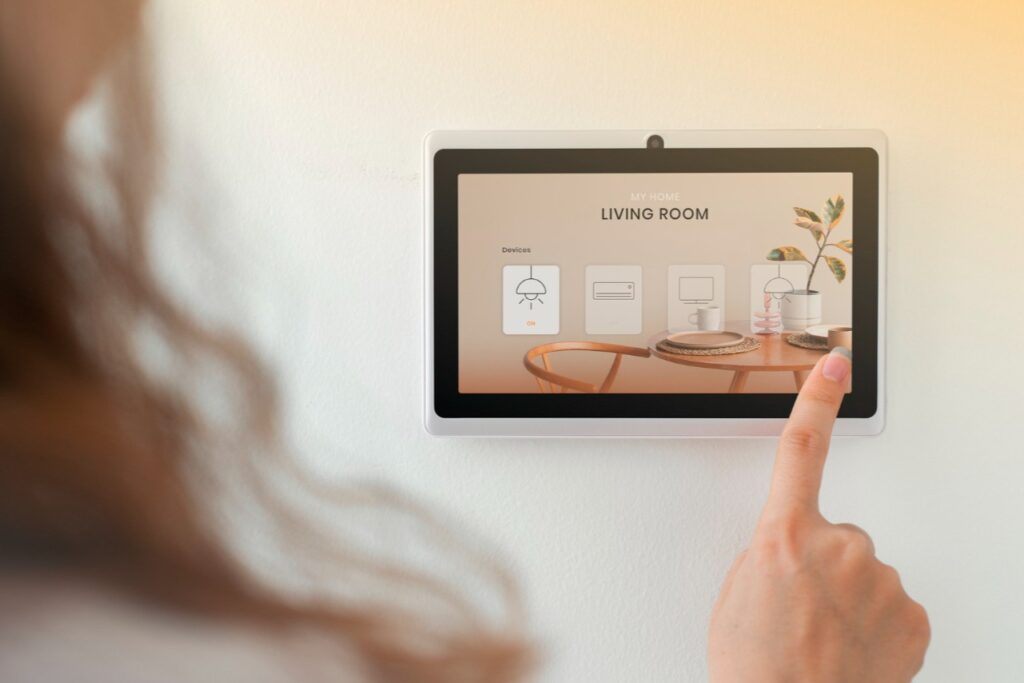
4. Use Smart Home Devices for Convenience

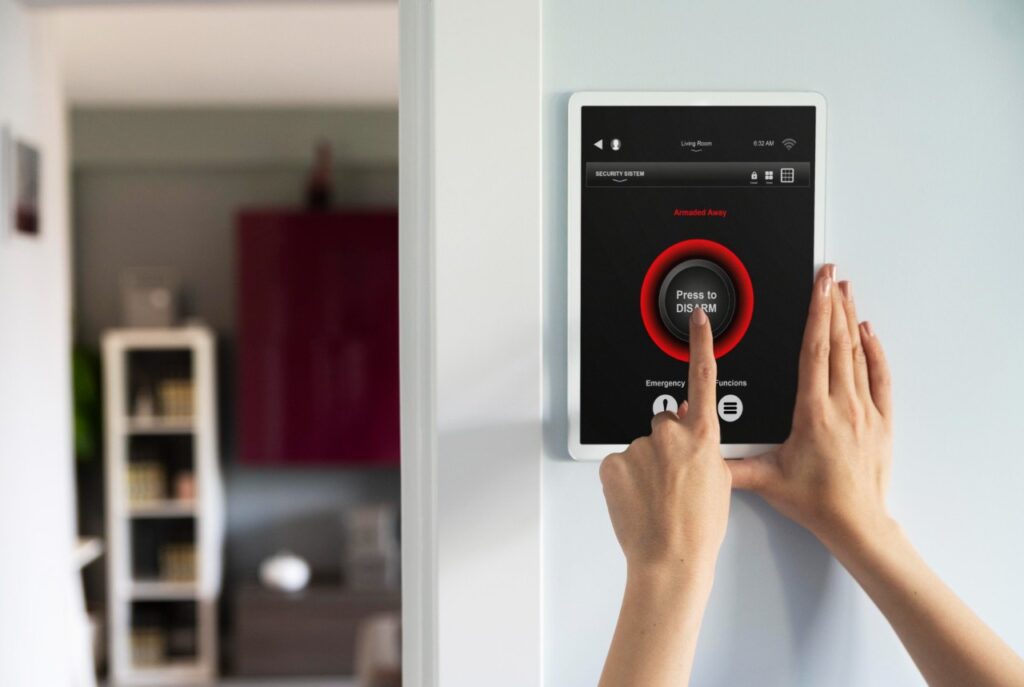
<p> Technology is not just about phones and computers—it can also make your home more comfortable and secure. Smart home devices like Amazon Echo (Alexa), Google Nest, and Apple HomePod can help you set reminders, play music, check the weather, and even control lights with simple voice commands. If you have ever forgotten to turn off the lights or adjust the thermostat before bed, a smart home device can take care of it for you. Many baby boomers also love smart doorbells and security cameras, which provide extra peace of mind by letting you see who is at your door without getting up. These devices are designed to be easy to use, and once you start using them, you may wonder how you ever managed without them. </p> :: Freepik

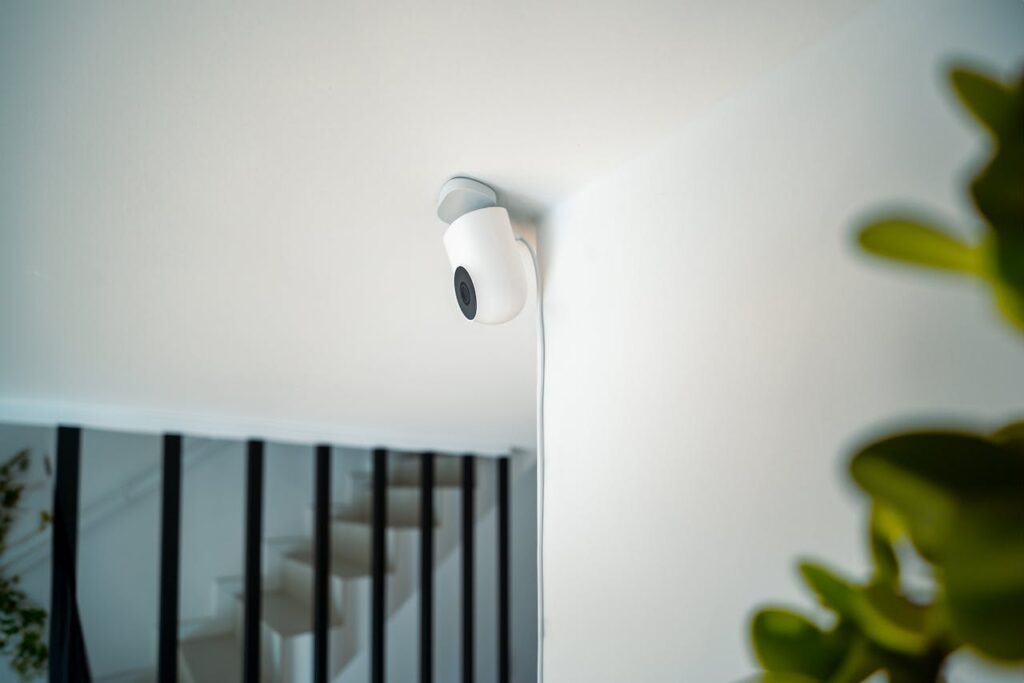
Technology is not just about phones and computers—it can also make your home more comfortable and secure. Smart home devices like Amazon Echo (Alexa), Google Nest, and Apple HomePod can help you set reminders, play music, check the weather, and even control lights with simple voice commands. If you have ever forgotten to turn off the lights or adjust the thermostat before bed, a smart home device can take care of it for you. Many baby boomers also love smart doorbells and security cameras, which provide extra peace of mind by letting you see who is at your door without getting up. These devices are designed to be easy to use, and once you start using them, you may wonder how you ever managed without them.

5. Try Online Shopping and Banking for Convenience

<p> Online shopping and banking can save you time and make life much easier. Instead of driving to the store, you can order groceries, clothes, or household essentials from websites like Amazon, Walmart, and Target. Many stores even offer free delivery for seniors. Online banking allows you to check your balance, pay bills, and transfer money without having to visit the bank. If you are new to online banking or shopping, start with trusted websites and ask a family member to help you set up accounts with strong passwords. Once you see how simple it is, you may find that you actually prefer the convenience of handling finances and shopping from home. </p> :: Pexels

Online shopping and banking can save you time and make life much easier. Instead of driving to the store, you can order groceries, clothes, or household essentials from websites like Amazon, Walmart, and Target. Many stores even offer free delivery for seniors. Online banking allows you to check your balance, pay bills, and transfer money without having to visit the bank. If you are new to online banking or shopping, start with trusted websites and ask a family member to help you set up accounts with strong passwords. Once you see how simple it is, you may find that you actually prefer the convenience of handling finances and shopping from home.

6. Learn How to Stay Safe Online

<p> One of the biggest concerns baby boomers have about technology is online safety—and for good reason. Scammers are constantly coming up with new ways to trick people into giving away personal information. The good news is that by following a few simple rules, you can protect yourself from fraud. Never share your Social Security number, bank details, or passwords with anyone over the phone or email unless you are absolutely sure it is legitimate. Be cautious of emails or messages that ask you to click on links or provide personal information—these are often scams. Use strong passwords and enable two-factor authentication whenever possible to add an extra layer of security. By staying alert and taking precautions, you can enjoy the benefits of technology without worrying about cyber threats. </p> :: Pexels

One of the biggest concerns baby boomers have about technology is online safety—and for good reason. Scammers are constantly coming up with new ways to trick people into giving away personal information. The good news is that by following a few simple rules, you can protect yourself from fraud. Never share your Social Security number, bank details, or passwords with anyone over the phone or email unless you are absolutely sure it is legitimate. Be cautious of emails or messages that ask you to click on links or provide personal information—these are often scams. Use strong passwords and enable two-factor authentication whenever possible to add an extra layer of security. By staying alert and taking precautions, you can enjoy the benefits of technology without worrying about cyber threats.

7. Discover Online Learning and Digital Entertainment

<p> Technology is not just about staying connected—it can also be a great source of entertainment and learning. Streaming services like Netflix, Hulu, and Disney+ allow you to watch your favorite movies and TV shows anytime you want. If you love reading, you can access thousands of books through Kindle and audiobooks on Audible. Online learning platforms like Coursera, Udemy, and MasterClass offer courses on everything from photography to cooking, so you can learn new skills from the comfort of your home. YouTube is another fantastic resource for free tutorials on just about any topic. Whether you want to learn a new language, improve your gardening skills, or pick up a new hobby, the internet has something for everyone. </p> :: Pexels

Technology is not just about staying connected—it can also be a great source of entertainment and learning. Streaming services like Netflix, Hulu, and Disney+ allow you to watch your favorite movies and TV shows anytime you want. If you love reading, you can access thousands of books through Kindle and audiobooks on Audible. Online learning platforms like Coursera, Udemy, and MasterClass offer courses on everything from photography to cooking, so you can learn new skills from the comfort of your home. YouTube is another fantastic resource for free tutorials on just about any topic. Whether you want to learn a new language, improve your gardening skills, or pick up a new hobby, the internet has something for everyone.

Final Thoughts

<p> Technology is not something to fear—it is a tool that can make life easier, more enjoyable, and more connected. The key to embracing technology is to take it one step at a time. Start with the basics, ask for help when you need it, and focus on the digital tools that will benefit your life the most. Whether you are making video calls to family, using social media, shopping online, or enjoying digital entertainment, technology can enhance your daily routine in ways you never imagined. Do not be afraid to explore and try new things—before you know it, you will be navigating the digital world like a pro! </p> :: Pexels

Technology is not something to fear—it is a tool that can make life easier, more enjoyable, and more connected. The key to embracing technology is to take it one step at a time. Start with the basics, ask for help when you need it, and focus on the digital tools that will benefit your life the most. Whether you are making video calls to family, using social media, shopping online, or enjoying digital entertainment, technology can enhance your daily routine in ways you never imagined. Do not be afraid to explore and try new things—before you know it, you will be navigating the digital world like a pro!

Filed Under: Tech

AI Isn’t Just for Kids: 7 Easy Ways Boomers Can Use Artificial Intelligence

July 12, 2025 | Leave a Comment

AI Isn’t Just for Kids: 7 Easy Ways Boomers Can Use Artificial Intelligence

<p> Remember when computers seemed like something only young folks—or rocket scientists—used? Times have certainly changed. Now, artificial intelligence (AI) is popping up everywhere, from our smartphones to our living rooms. But here’s the thing: AI isn’t just for kids or tech whizzes—it’s for you, too.

If you’re a baby boomer who’s ever thought, “That’s too complicated for me,” you’re not alone. Many boomers worry that AI might be too confusing, too costly, or just irrelevant to their daily lives. But the truth is, AI can be a wonderful tool that makes life easier, safer, and even more fun.

From managing health to staying connected with loved ones, AI can empower you to live more comfortably and confidently. So, let’s set aside the stereotypes and explore seven easy, practical, and surprisingly delightful ways boomers can embrace AI—no tech degree required! </p> :: Freepik

Remember when computers seemed like something only young folks—or rocket scientists—used? Times have certainly changed. Now, artificial intelligence (AI) is popping up everywhere, from our smartphones to our living rooms. But here’s the thing: AI isn’t just for kids or tech whizzes—it’s for you, too.

If you’re a baby boomer who’s ever thought, “That’s too complicated for me,” you’re not alone. Many boomers worry that AI might be too confusing, too costly, or just irrelevant to their daily lives. But the truth is, AI can be a wonderful tool that makes life easier, safer, and even more fun.

From managing health to staying connected with loved ones, AI can empower you to live more comfortably and confidently. So, let’s set aside the stereotypes and explore seven easy, practical, and surprisingly delightful ways boomers can embrace AI—no tech degree required!

1. Smart Voice Assistants: Your Personal Helpers

<p> Remember The Jetsons and their talking gadgets? Well, the future is here—and it’s called Alexa, Siri, and Google Assistant. These voice assistants are like having your own personal secretary, always ready to help. Want to check the weather before your morning walk? Just say, “Hey Siri, what’s the forecast?” Need to call your daughter? “Alexa, call Lisa.”

Beyond convenience, these digital helpers can be lifesavers for those dealing with mobility or vision challenges. They can set medication reminders, manage grocery lists, control lights, adjust your thermostat, and play your favorite golden oldies—all hands-free. It’s high-tech made simple, and it can make your home safer, cozier, and a lot more fun. </p> :: Pexels

Remember The Jetsons and their talking gadgets? Well, the future is here—and it’s called Alexa, Siri, and Google Assistant. These voice assistants are like having your own personal secretary, always ready to help. Want to check the weather before your morning walk? Just say, “Hey Siri, what’s the forecast?” Need to call your daughter? “Alexa, call Lisa.”

Beyond convenience, these digital helpers can be lifesavers for those dealing with mobility or vision challenges. They can set medication reminders, manage grocery lists, control lights, adjust your thermostat, and play your favorite golden oldies—all hands-free. It’s high-tech made simple, and it can make your home safer, cozier, and a lot more fun.

2. Generative AI: The Ultimate Writing Companion

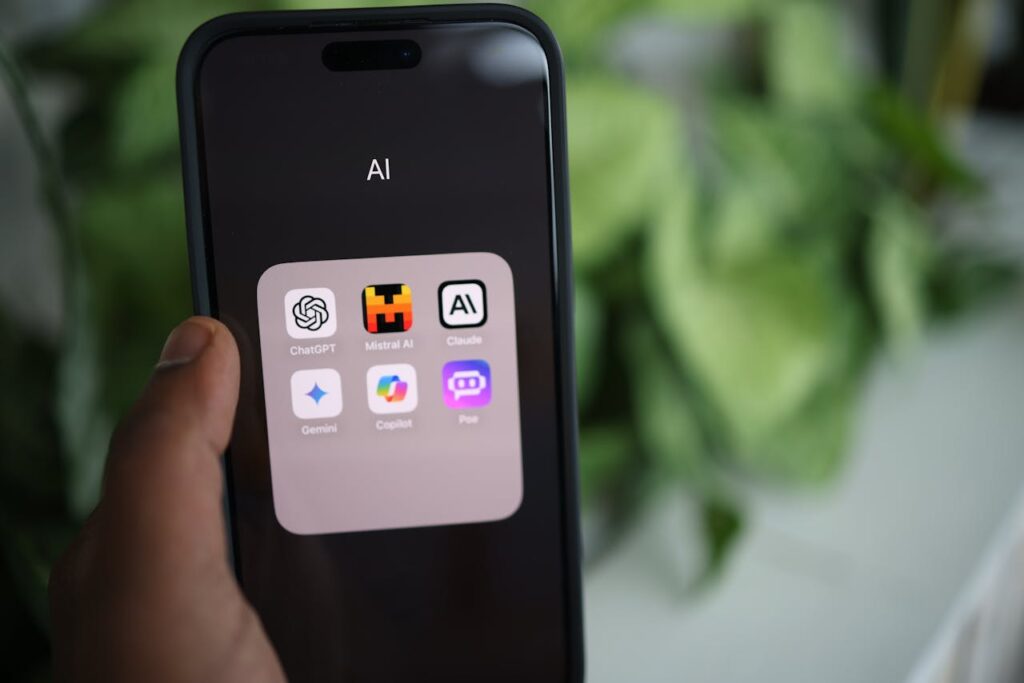
<p> Do you ever stare at a blank greeting card thinking, “What on earth should I write?” Generative AI tools like ChatGPT or Microsoft Copilot can help you find just the right words. Whether you’re drafting a heartfelt birthday message, composing an email, or even writing a short story for the grandkids, these tools are like having a writing buddy who never runs out of ideas.

All you have to do is tell the AI what you want to say, and in what tone—warm, funny, formal, or casual—and it will produce a draft for you. You remain the editor-in-chief, tweaking the words to match your personal style. It’s a great way to stay connected with friends and family without the stress of finding the perfect words on your own. </p> :: Pexels

Do you ever stare at a blank greeting card thinking, “What on earth should I write?” Generative AI tools like ChatGPT or Microsoft Copilot can help you find just the right words. Whether you’re drafting a heartfelt birthday message, composing an email, or even writing a short story for the grandkids, these tools are like having a writing buddy who never runs out of ideas.

All you have to do is tell the AI what you want to say, and in what tone—warm, funny, formal, or casual—and it will produce a draft for you. You remain the editor-in-chief, tweaking the words to match your personal style. It’s a great way to stay connected with friends and family without the stress of finding the perfect words on your own.

3. Smart Home Made Simple

<p> Think smart homes are only for Silicon Valley millionaires? Think again. Smart home gadgets are now more affordable, user-friendly, and practical than ever. Devices like Nest thermostats, Ring doorbells, and smart plugs integrate AI to learn your habits and make life smoother.

Imagine this: Your thermostat adjusts the temperature before you even think about it. Lights turn on automatically at dusk to keep your home secure. A video doorbell shows you who’s at the door—even if you’re relaxing in your recliner. And with voice commands, you can control it all without lifting a finger.

These smart devices are not only convenient but can also boost safety and peace of mind. They’re perfect for anyone who wants to age in place comfortably and maintain independence. </p> :: Freepik

Think smart homes are only for Silicon Valley millionaires? Think again. Smart home gadgets are now more affordable, user-friendly, and practical than ever. Devices like Nest thermostats, Ring doorbells, and smart plugs integrate AI to learn your habits and make life smoother.

Imagine this: Your thermostat adjusts the temperature before you even think about it. Lights turn on automatically at dusk to keep your home secure. A video doorbell shows you who’s at the door—even if you’re relaxing in your recliner. And with voice commands, you can control it all without lifting a finger.

These smart devices are not only convenient but can also boost safety and peace of mind. They’re perfect for anyone who wants to age in place comfortably and maintain independence.

4. Wearable Health Monitors: Protect Your Well-Being

<p> AI is revolutionizing health care in ways that are incredibly helpful for boomers. Wearable devices like Apple Watch, Fitbit, and other fitness trackers do far more than count steps—they act as personal health monitors right on your wrist.

These devices can measure your heart rate, track sleep patterns, and detect irregularities like atrial fibrillation. Some even offer fall detection and can automatically alert emergency services if you take a tumble. They can remind you to move around if you’ve been sitting too long, encourage hydration, and help track your exercise routines.

Many of these gadgets also sync with your doctor’s office, making it easier for health professionals to keep an eye on your well-being. It’s like having a gentle health coach with you at all times—a reassuring thought as we focus on staying healthy and active in our golden years. </p> :: Pexels

AI is revolutionizing health care in ways that are incredibly helpful for boomers. Wearable devices like Apple Watch, Fitbit, and other fitness trackers do far more than count steps—they act as personal health monitors right on your wrist.

These devices can measure your heart rate, track sleep patterns, and detect irregularities like atrial fibrillation. Some even offer fall detection and can automatically alert emergency services if you take a tumble. They can remind you to move around if you’ve been sitting too long, encourage hydration, and help track your exercise routines.

Many of these gadgets also sync with your doctor’s office, making it easier for health professionals to keep an eye on your well-being. It’s like having a gentle health coach with you at all times—a reassuring thought as we focus on staying healthy and active in our golden years.

5. AI Brain Games: Sharpen Your Mind

<p> Keeping your mind sharp doesn’t have to be boring. AI-powered brain games bring entertainment and cognitive stimulation together in one fun package. Apps like Lumosity, Elevate, or Peak create personalized games designed to enhance memory, problem-solving skills, and mental agility.

These games adapt to your performance, adjusting the difficulty to keep you challenged but not frustrated. You’ll find everything from memory puzzles and trivia to language and math exercises. Plus, they’re a great way to pass time during commercial breaks or while waiting for your doctor’s appointment.

Studies show that engaging in regular mental exercises can help maintain cognitive health as we age. So go ahead—turn your smartphone or tablet into a brain gym. It’s entertaining, educational, and a healthy habit all rolled into one. </p> :: Pexels

Keeping your mind sharp doesn’t have to be boring. AI-powered brain games bring entertainment and cognitive stimulation together in one fun package. Apps like Lumosity, Elevate, or Peak create personalized games designed to enhance memory, problem-solving skills, and mental agility.

These games adapt to your performance, adjusting the difficulty to keep you challenged but not frustrated. You’ll find everything from memory puzzles and trivia to language and math exercises. Plus, they’re a great way to pass time during commercial breaks or while waiting for your doctor’s appointment.

Studies show that engaging in regular mental exercises can help maintain cognitive health as we age. So go ahead—turn your smartphone or tablet into a brain gym. It’s entertaining, educational, and a healthy habit all rolled into one.

6. AI Companions: A Friendly Voice in the Room

<p> Loneliness can creep up on anyone, especially as we age. But did you know AI can help keep you company? Devices like ElliQ, InTouch’s “Mary,” or AI companions built into smart TVs are designed to chat with you, remind you about medications, play trivia games, or even lead you through gentle exercises.

In New York, programs are even using AI companions like Joy to provide older adults with daily conversation, art activities, and virtual walks—all through the TV, so there’s no need to fuss with complicated apps. A recent study found that 78 percent of people over 55 who used AI companions felt less lonely and reported improved mental health.

While an AI buddy isn’t a replacement for real human connection, it can certainly help fill gaps, brighten your day, and remind you that you’re not alone. It’s one more tool to help maintain emotional wellness and a positive outlook. </p> :: Pexels

Loneliness can creep up on anyone, especially as we age. But did you know AI can help keep you company? Devices like ElliQ, InTouch’s “Mary,” or AI companions built into smart TVs are designed to chat with you, remind you about medications, play trivia games, or even lead you through gentle exercises.

In New York, programs are even using AI companions like Joy to provide older adults with daily conversation, art activities, and virtual walks—all through the TV, so there’s no need to fuss with complicated apps. A recent study found that 78 percent of people over 55 who used AI companions felt less lonely and reported improved mental health.

While an AI buddy isn’t a replacement for real human connection, it can certainly help fill gaps, brighten your day, and remind you that you’re not alone. It’s one more tool to help maintain emotional wellness and a positive outlook.

7. AI for Everyday Security: Outsmart Scammers

<p> Unfortunately, online scams have become a huge problem, and older adults are often targeted. The good news is, AI can help protect you from fraudsters and keep your personal information secure.

AI-powered security tools can detect suspicious emails, warn you about phishing links, and help monitor financial transactions for unusual activity. Some apps even scan phone calls for potential scams, so you don’t fall prey to fraudsters pretending to be government officials or bank representatives.

Beyond financial safety, AI can help manage important documents, track bills, and organize passwords, reducing stress and confusion. It’s like having a digital bodyguard looking out for your best interests. Staying one step ahead of scammers has never been so achievable—or so tech-savvy! </p> :: Freepik

Unfortunately, online scams have become a huge problem, and older adults are often targeted. The good news is, AI can help protect you from fraudsters and keep your personal information secure.

AI-powered security tools can detect suspicious emails, warn you about phishing links, and help monitor financial transactions for unusual activity. Some apps even scan phone calls for potential scams, so you don’t fall prey to fraudsters pretending to be government officials or bank representatives.

Beyond financial safety, AI can help manage important documents, track bills, and organize passwords, reducing stress and confusion. It’s like having a digital bodyguard looking out for your best interests. Staying one step ahead of scammers has never been so achievable—or so tech-savvy!

Final Thoughts

<p> So, there you have it: seven easy, practical, and even fun ways to bring AI into your life. It’s not just for the kids—it’s for you, too. Whether you’re looking to simplify daily chores, boost your health, stay safe, or simply add a bit more joy to your day, AI can be your helpful companion.

Technology might feel intimidating at first, but remember: you’ve lived through vinyl records, rotary phones, microwaves, personal computers, and the internet. You’ve adapted to incredible changes before—and you can absolutely handle this one, too.

So go ahead—talk to your smart speaker, play a brain game, or let AI help you write a letter. You might just discover a new favorite gadget…and a few extra hours in your day. </p> :: Freepik

So, there you have it: seven easy, practical, and even fun ways to bring AI into your life. It’s not just for the kids—it’s for you, too. Whether you’re looking to simplify daily chores, boost your health, stay safe, or simply add a bit more joy to your day, AI can be your helpful companion.

Technology might feel intimidating at first, but remember: you’ve lived through vinyl records, rotary phones, microwaves, personal computers, and the internet. You’ve adapted to incredible changes before—and you can absolutely handle this one, too.

So go ahead—talk to your smart speaker, play a brain game, or let AI help you write a letter. You might just discover a new favorite gadget…and a few extra hours in your day.

Filed Under: Tech

10 Phone Tricks Every Boomer Should Know (Voicemail, Video Chat & More)

June 15, 2025 | Leave a Comment

10 Phone Tricks Every Boomer Should Know (Voicemail, Video Chat & More)

<p> Smartphones might feel like gadgets designed for Gen Z, but don’t let the fancy features and endless apps fool you—these powerful little devices can work wonders for baby boomers, too. You don’t need to be a tech wizard to get real value out of your phone. Whether you're keeping in touch with the grandkids, avoiding spam calls, or simply trying to make texting easier, a few simple tricks can help your phone work for you—not the other way around. The truth is, most of us only use a fraction of what our phones are capable of. But with just a little know-how, you can unlock features that make life easier, safer, and a whole lot more fun. This guide is designed to walk you through 10 essential phone tricks—no tech jargon, no complicated steps. Just practical, helpful tips to make your smartphone a smarter part of your everyday life. </p> :: Pexels

Smartphones might feel like gadgets designed for Gen Z, but don’t let the fancy features and endless apps fool you—these powerful little devices can work wonders for baby boomers, too. You don’t need to be a tech wizard to get real value out of your phone. Whether you’re keeping in touch with the grandkids, avoiding spam calls, or simply trying to make texting easier, a few simple tricks can help your phone work for you—not the other way around.

The truth is, most of us only use a fraction of what our phones are capable of. But with just a little know-how, you can unlock features that make life easier, safer, and a whole lot more fun. This guide is designed to walk you through 10 essential phone tricks—no tech jargon, no complicated steps. Just practical, helpful tips to make your smartphone a smarter part of your everyday life.

1. Set Up and Personalize Your Voicemail

<p> Let’s start with the basics. Voicemail is your phone’s answering machine—but with a modern twist. If you haven’t already set yours up or haven’t changed the default greeting, now’s the time. A customized message gives callers a sense of connection and reassurance. On iPhones, head to the Phone app, tap “Voicemail,” and follow the prompts. On Android devices, the process varies slightly, but you’ll usually find voicemail setup under the Phone app’s settings. And here’s a bonus: Visual voicemail lets you see a list of your messages and listen to them in any order. Some phones even transcribe them, so you can read instead of listen. It’s a small upgrade that makes a big difference. </p> :: Pexels

Let’s start with the basics. Voicemail is your phone’s answering machine—but with a modern twist. If you haven’t already set yours up or haven’t changed the default greeting, now’s the time. A customized message gives callers a sense of connection and reassurance. On iPhones, head to the Phone app, tap “Voicemail,” and follow the prompts. On Android devices, the process varies slightly, but you’ll usually find voicemail setup under the Phone app’s settings.

And here’s a bonus: Visual voicemail lets you see a list of your messages and listen to them in any order. Some phones even transcribe them, so you can read instead of listen. It’s a small upgrade that makes a big difference.

2. Use Voice-to-Text for Faster Typing

<p> Let’s face it—typing on a tiny screen can be frustrating. That’s where voice-to-text comes in. This feature lets you speak your message instead of typing it. Simply tap the microphone icon on your keyboard (available on both iPhone and Android), then speak clearly. Your words magically turn into text. This trick is perfect for sending longer messages without the hassle or for those moments when your fingers just don’t feel like doing the work. It also comes in handy for notes, reminders, or even dictating a grocery list. Talk about convenient! </p> :: Pexels

Let’s face it—typing on a tiny screen can be frustrating. That’s where voice-to-text comes in. This feature lets you speak your message instead of typing it. Simply tap the microphone icon on your keyboard (available on both iPhone and Android), then speak clearly. Your words magically turn into text.

This trick is perfect for sending longer messages without the hassle or for those moments when your fingers just don’t feel like doing the work. It also comes in handy for notes, reminders, or even dictating a grocery list. Talk about convenient!

3. Make Video Calls That Feel Like Real Visits

<p> There’s nothing quite like seeing a loved one’s face—especially when distance keeps you apart. Video calling apps like FaceTime (for iPhone users), Google Meet, or WhatsApp make it simple to connect with family and friends in a more personal way. Just open your contact list, tap the video icon, and enjoy a face-to-face conversation, no matter where they are in the world. It’s a fantastic way to see the grandkids grow, share smiles, or simply catch up over coffee—even if you're sipping from different states. </p> :: Pexels

There’s nothing quite like seeing a loved one’s face—especially when distance keeps you apart. Video calling apps like FaceTime (for iPhone users), Google Meet, or WhatsApp make it simple to connect with family and friends in a more personal way. Just open your contact list, tap the video icon, and enjoy a face-to-face conversation, no matter where they are in the world.

It’s a fantastic way to see the grandkids grow, share smiles, or simply catch up over coffee—even if you’re sipping from different states.

4. Block Spam Calls and Silence Unknown Numbers

<p> If you’re tired of getting robocalls or strange messages from unknown numbers, you’re not alone. Scammers love targeting boomers—but you don’t have to put up with it. On iPhones, go to Settings - Phone - Silence Unknown Callers. Android users can head to their Phone app settings and enable spam protection. You can also block any specific number that’s been pestering you. Just tap the number in your recent calls or messages and hit “Block.” Peace, quiet, and safety restored. </p> :: Pexels

If you’re tired of getting robocalls or strange messages from unknown numbers, you’re not alone. Scammers love targeting boomers—but you don’t have to put up with it. On iPhones, go to Settings > Phone > Silence Unknown Callers. Android users can head to their Phone app settings and enable spam protection.

You can also block any specific number that’s been pestering you. Just tap the number in your recent calls or messages and hit “Block.” Peace, quiet, and safety restored.

5. Share Photos Without Emailing Attachments

<p> Remember the days of waiting for photos to develop? Now you can snap, send, and share in seconds. Whether you’re showing off your garden, your latest grandkid drawing, or a beautiful sunset, sharing photos is easier than ever. Just go to your Photos app, select what you want to send, hit the Share icon, and choose how you want to send it—via text, AirDrop (for iPhones), or apps like Messenger or WhatsApp. No more hunting for email attachments. Just a few taps, and your loved ones will see exactly what you see. </p> :: Pexels

Remember the days of waiting for photos to develop? Now you can snap, send, and share in seconds. Whether you’re showing off your garden, your latest grandkid drawing, or a beautiful sunset, sharing photos is easier than ever. Just go to your Photos app, select what you want to send, hit the Share icon, and choose how you want to send it—via text, AirDrop (for iPhones), or apps like Messenger or WhatsApp.

No more hunting for email attachments. Just a few taps, and your loved ones will see exactly what you see.

6. Use Your Phone as a Magnifier

<p> Reading small print on menus, prescription bottles, or instruction manuals doesn’t have to be a strain. Your phone can serve as a digital magnifying glass. On iPhones, go to Settings - Accessibility - Magnifier and turn it on. For Android users, enable the magnification feature under Settings - Accessibility. Once activated, triple-click the side or home button, and your screen becomes a zoom lens. It’s like carrying around a magnifying glass—only way cooler. </p> :: Pexels

Reading small print on menus, prescription bottles, or instruction manuals doesn’t have to be a strain. Your phone can serve as a digital magnifying glass. On iPhones, go to Settings > Accessibility > Magnifier and turn it on. For Android users, enable the magnification feature under Settings > Accessibility.

Once activated, triple-click the side or home button, and your screen becomes a zoom lens. It’s like carrying around a magnifying glass—only way cooler.

7. Store Emergency Info on Your Lock Screen

<p> In an emergency, your phone could save your life—even if it’s locked. Both iPhone and Android devices allow you to store medical and emergency contact info that first responders can access. For iPhone users, go to the Health app, tap your profile picture, and select “Medical ID.” For Android users, head to Settings - Safety and emergency - Medical information. Include details like allergies, medications, blood type, and emergency contacts. It’s a small step that could make a big difference when time matters most. </p> :: Freepik

In an emergency, your phone could save your life—even if it’s locked. Both iPhone and Android devices allow you to store medical and emergency contact info that first responders can access. For iPhone users, go to the Health app, tap your profile picture, and select “Medical ID.” For Android users, head to Settings > Safety & emergency > Medical information.

Include details like allergies, medications, blood type, and emergency contacts. It’s a small step that could make a big difference when time matters most.

8. Turn On “Do Not Disturb” for Better Sleep

<p> A good night’s sleep is golden—but not when late-night texts or calls interrupt your rest. The Do Not Disturb setting mutes all notifications during specific hours while still allowing calls from select people (like your kids) in case of emergencies. On iPhones, go to Settings - Focus - Do Not Disturb and set your schedule. On Androids, find it under Sound and Vibration settings. You’ll sleep soundly knowing your phone won’t buzz unless it truly matters. </p> :: Pexels

A good night’s sleep is golden—but not when late-night texts or calls interrupt your rest. The Do Not Disturb setting mutes all notifications during specific hours while still allowing calls from select people (like your kids) in case of emergencies.

On iPhones, go to Settings > Focus > Do Not Disturb and set your schedule. On Androids, find it under Sound & Vibration settings. You’ll sleep soundly knowing your phone won’t buzz unless it truly matters.

9. Take Screenshots to Save Information

<p> Whether it’s a recipe, a travel itinerary, or something funny you want to share, screenshots are your go-to tool. To take one, press the side and volume up buttons at the same time on an iPhone. On Android, press the power and volume down buttons. The image is automatically saved in your Photos or Gallery, where you can view or send it later. It’s an easy way to save directions, appointments, or even a winning Scrabble score. </p> :: Pexels

Whether it’s a recipe, a travel itinerary, or something funny you want to share, screenshots are your go-to tool. To take one, press the side and volume up buttons at the same time on an iPhone. On Android, press the power and volume down buttons.

The image is automatically saved in your Photos or Gallery, where you can view or send it later. It’s an easy way to save directions, appointments, or even a winning Scrabble score.

10. Organize Your Apps for Stress-Free Use

<p> If finding your favorite app feels like searching for a needle in a haystack, it’s time to declutter your home screen. You can press and hold any app to move it or drop it into a folder with others (like “Social,” “Health,” or “Travel”). You can even delete or hide apps you never use. With everything in its place, your phone becomes much easier—and less overwhelming—to use. It’s like spring cleaning, but for your screen! </p> :: Pexels

If finding your favorite app feels like searching for a needle in a haystack, it’s time to declutter your home screen. You can press and hold any app to move it or drop it into a folder with others (like “Social,” “Health,” or “Travel”).

You can even delete or hide apps you never use. With everything in its place, your phone becomes much easier—and less overwhelming—to use. It’s like spring cleaning, but for your screen!

Final Thoughts

<p> You don’t have to be born with a smartphone in your hand to master one. With just a little guidance and a few easy-to-learn tricks, your phone can become one of your most helpful everyday tools. Whether you're staying connected to family, navigating the digital world more safely, or simply making daily tasks easier, each of these tips is a small step toward greater tech confidence. Remember, it’s never too late to learn something new. And with a bit of practice, you’ll not only keep up—you might even get ahead of the game. So go ahead, tap, swipe, and speak your way to simpler, smarter phone use. You've got this! </p> :: Pexels

You don’t have to be born with a smartphone in your hand to master one. With just a little guidance and a few easy-to-learn tricks, your phone can become one of your most helpful everyday tools. Whether you’re staying connected to family, navigating the digital world more safely, or simply making daily tasks easier, each of these tips is a small step toward greater tech confidence.

Remember, it’s never too late to learn something new. And with a bit of practice, you’ll not only keep up—you might even get ahead of the game. So go ahead, tap, swipe, and speak your way to simpler, smarter phone use. You’ve got this!

Filed Under: Tech

How Artificial Intelligence Can Revolutionize Your Budgeting, Planning, and Daily Tasks—7 Game-Changing Tools You Need to Try

May 20, 2025 | Leave a Comment

How Artificial Intelligence Can Revolutionize Your Budgeting, Planning, and Daily Tasks—7 Game-Changing Tools You Need to Try

<p> Feeling overwhelmed by managing your money, scheduling your day, and keeping up with everyday chores? You are not alone. In an era where time feels scarce and responsibilities pile up, artificial intelligence is emerging as the ultimate life hack. Imagine having a personal assistant that not only helps you track your spending but also plans your week and automates mundane tasks—without asking for a raise. That future is here, and AI-powered tools are transforming how we handle budgeting, planning, and daily routines. This guide dives into 7 game-changing AI tools that can streamline your finances, organize your schedule, and simplify your everyday life, all while saving you time and reducing stress. Ready to discover how AI can work for you? Let’s get started! </p> :: Pexels

Feeling overwhelmed by managing your money, scheduling your day, and keeping up with everyday chores? You are not alone. In an era where time feels scarce and responsibilities pile up, artificial intelligence is emerging as the ultimate life hack. Imagine having a personal assistant that not only helps you track your spending but also plans your week and automates mundane tasks—without asking for a raise. That future is here, and AI-powered tools are transforming how we handle budgeting, planning, and daily routines. This guide dives into 7 game-changing AI tools that can streamline your finances, organize your schedule, and simplify your everyday life, all while saving you time and reducing stress. Ready to discover how AI can work for you? Let’s get started!

1. Mint: Your AI-Driven Budgeting Assistant

<p> Mint is a widely trusted budgeting app that brings the power of AI to your personal finances. By securely linking your bank accounts, credit cards, and bills, Mint automatically tracks and categorizes every transaction, giving you a real-time snapshot of where your money is going. The app’s AI algorithms identify spending patterns and alert you to unusual activity or upcoming bills so you never get caught off guard. Mint also lets you set personalized budgets and savings goals while providing monthly summaries and tips to improve your financial habits. This smart budgeting assistant makes it easy for anyone—regardless of financial knowledge—to take control of their money and avoid unnecessary debt. </p> :: MINT

Mint is a widely trusted budgeting app that brings the power of AI to your personal finances. By securely linking your bank accounts, credit cards, and bills, Mint automatically tracks and categorizes every transaction, giving you a real-time snapshot of where your money is going. The app’s AI algorithms identify spending patterns and alert you to unusual activity or upcoming bills so you never get caught off guard. Mint also lets you set personalized budgets and savings goals while providing monthly summaries and tips to improve your financial habits. This smart budgeting assistant makes it easy for anyone—regardless of financial knowledge—to take control of their money and avoid unnecessary debt.

2. You Need A Budget: AI for Intentional Financial Planning

<p> While You Need A Budget (YNAB) might not be fully AI-driven, it incorporates intelligent automation and data analysis to foster proactive money management. YNAB’s philosophy centers on giving every dollar a job, encouraging users to prioritize spending and save intentionally. The platform’s automation features include real-time syncing across devices, customizable budgeting rules, and dynamic adjustment suggestions based on your financial activity. YNAB’s AI-inspired insights help you anticipate future expenses and make adjustments before issues arise. This forward-thinking approach builds disciplined financial habits that empower you to reduce anxiety about money and set yourself up for long-term success. </p> :: moehrbetter

While You Need A Budget (YNAB) might not be fully AI-driven, it incorporates intelligent automation and data analysis to foster proactive money management. YNAB’s philosophy centers on giving every dollar a job, encouraging users to prioritize spending and save intentionally. The platform’s automation features include real-time syncing across devices, customizable budgeting rules, and dynamic adjustment suggestions based on your financial activity. YNAB’s AI-inspired insights help you anticipate future expenses and make adjustments before issues arise. This forward-thinking approach builds disciplined financial habits that empower you to reduce anxiety about money and set yourself up for long-term success.

3. Google Calendar with AI-Powered Scheduling

<p> Google Calendar is more than just a digital planner—it uses AI to turn chaos into calm. Its AI-powered scheduling feature scans participants’ availability and suggests the best meeting times to minimize conflicts. Beyond meetings, Google Calendar learns your habits and preferences to recommend blocks of time for focused work, breaks, or wellness activities. Integrated reminders ensure you never miss deadlines or appointments, while seamless syncing across devices keeps your schedule accessible anywhere. By harnessing AI for smarter scheduling, Google Calendar frees up mental space and helps you create a balanced, productive daily routine without the constant manual effort. </p> :: Absolute Geeks

Google Calendar is more than just a digital planner—it uses AI to turn chaos into calm. Its AI-powered scheduling feature scans participants’ availability and suggests the best meeting times to minimize conflicts. Beyond meetings, Google Calendar learns your habits and preferences to recommend blocks of time for focused work, breaks, or wellness activities. Integrated reminders ensure you never miss deadlines or appointments, while seamless syncing across devices keeps your schedule accessible anywhere. By harnessing AI for smarter scheduling, Google Calendar frees up mental space and helps you create a balanced, productive daily routine without the constant manual effort.

4. Otter.ai: AI Transcription That Boosts Productivity

<p> Trying to keep track of important details during meetings, lectures, or brainstorming sessions can be exhausting. Otter.ai solves this by leveraging AI to transcribe spoken words into clear, searchable text in real-time. It automatically highlights key points and generates summaries, making it easy to review and share important information without sifting through hours of recordings. This tool is especially useful for budgeting meetings or planning sessions where capturing accurate notes is crucial for follow-ups and accountability. By handling transcription and organization, Otter.ai lets you stay engaged and ensures that nothing important slips through the cracks. </p> :: Zapier

Trying to keep track of important details during meetings, lectures, or brainstorming sessions can be exhausting. Otter.ai solves this by leveraging AI to transcribe spoken words into clear, searchable text in real-time. It automatically highlights key points and generates summaries, making it easy to review and share important information without sifting through hours of recordings. This tool is especially useful for budgeting meetings or planning sessions where capturing accurate notes is crucial for follow-ups and accountability. By handling transcription and organization, Otter.ai lets you stay engaged and ensures that nothing important slips through the cracks.

5. Trello with Butler AI Automation: Streamline Task Management

<p> Trello is a flexible project management platform that becomes even more powerful when paired with Butler, its AI automation feature. Butler uses smart rules to automate repetitive tasks like moving cards, assigning due dates, or sending reminders, so you can focus on what truly matters. Whether you’re managing a home renovation budget, planning a family vacation, or coordinating work projects, Trello’s AI-driven automation keeps your workflow smooth and deadlines on track. This combination eliminates manual busywork and turns your task lists into efficient action plans, helping you stay organized and productive every day. </p> :: sdtimes

Trello is a flexible project management platform that becomes even more powerful when paired with Butler, its AI automation feature. Butler uses smart rules to automate repetitive tasks like moving cards, assigning due dates, or sending reminders, so you can focus on what truly matters. Whether you’re managing a home renovation budget, planning a family vacation, or coordinating work projects, Trello’s AI-driven automation keeps your workflow smooth and deadlines on track. This combination eliminates manual busywork and turns your task lists into efficient action plans, helping you stay organized and productive every day.

6. Personal Capital: AI for Comprehensive Financial Planning

<p> For those looking beyond basic budgeting towad holistic financial health, Personal Capital offers AI-powered tools that analyze your investments, net worth, and retirement readiness. This platform aggregates your financial accounts and applies sophisticated AI algorithms to monitor your portfolio, recommend asset allocation adjustments, and forecast long-term growth based on your risk tolerance. Alongside budgeting features, Personal Capital’s retirement planner and fee analyzer provide tailored advice to maximize your wealth over time. By bridging day-to-day spending with long-term goals, Personal Capital empowers you to make informed decisions that protect and grow your financial future. </p> :: PCMag

For those looking beyond basic budgeting towad holistic financial health, Personal Capital offers AI-powered tools that analyze your investments, net worth, and retirement readiness. This platform aggregates your financial accounts and applies sophisticated AI algorithms to monitor your portfolio, recommend asset allocation adjustments, and forecast long-term growth based on your risk tolerance. Alongside budgeting features, Personal Capital’s retirement planner and fee analyzer provide tailored advice to maximize your wealth over time. By bridging day-to-day spending with long-term goals, Personal Capital empowers you to make informed decisions that protect and grow your financial future.

7. Amazon Alexa and Google Assistant: Your AI-Powered Everyday Helpers

<p> Voice assistants like Amazon Alexa and Google Assistant are no longer novelty gadgets—they have become indispensable AI tools for everyday life management. These virtual assistants handle a variety of tasks including managing grocery lists, setting bill payment reminders, controlling smart home devices, and providing weather or traffic updates. They learn your preferences over time, offering personalized suggestions and automating repetitive chores with simple voice commands. Whether you need to add an expense to your budget, check your calendar, or get a recipe recommendation, Alexa and Google Assistant act as your personal concierges, helping you save time and reduce mental clutter throughout the day. </p> :: Pexels

Voice assistants like Amazon Alexa and Google Assistant are no longer novelty gadgets—they have become indispensable AI tools for everyday life management. These virtual assistants handle a variety of tasks including managing grocery lists, setting bill payment reminders, controlling smart home devices, and providing weather or traffic updates. They learn your preferences over time, offering personalized suggestions and automating repetitive chores with simple voice commands. Whether you need to add an expense to your budget, check your calendar, or get a recipe recommendation, Alexa and Google Assistant act as your personal concierges, helping you save time and reduce mental clutter throughout the day.

Final Thoughts

<p> Artificial intelligence is revolutionizing how we manage our money, plan our days, and tackle everyday tasks. By adopting these 7 AI-powered tools, you can save time, lower stress, and make smarter financial and lifestyle decisions. Whether you are a busy professional, a parent juggling schedules, or someone looking to take control of their finances, AI provides the perfect partner to help you live smarter, not harder.

Start your AI-powered transformation today and discover just how much easier budgeting, planning, and daily life can become. </p> :: Pexels

Artificial intelligence is revolutionizing how we manage our money, plan our days, and tackle everyday tasks. By adopting these 7 AI-powered tools, you can save time, lower stress, and make smarter financial and lifestyle decisions. Whether you are a busy professional, a parent juggling schedules, or someone looking to take control of their finances, AI provides the perfect partner to help you live smarter, not harder.

Start your AI-powered transformation today and discover just how much easier budgeting, planning, and daily life can become.

Filed Under: Tech

6 Must-Have Smart Home Devices That Are Actually Worth Your Money in 2025

April 28, 2025 | Leave a Comment

6 Must-Have Smart Home Devices That Are Actually Worth Your Money in 2025

<p> In today's fast-paced world, our homes are becoming smarter and more efficient, thanks to the latest advancements in technology. With the ever-growing selection of smart home devices flooding the market, it's easy to feel overwhelmed when trying to choose the right ones for your needs. While some smart gadgets promise to make life easier, others might not deliver the value you expect. So, what are the smart home devices that are truly worth buying? We’ve compiled a list of 6 standout options that not only improve your home’s functionality but also enhance your everyday life. Here are the smart home devices you should consider investing in this year. </p> :: Freepik

In today’s fast-paced world, our homes are becoming smarter and more efficient, thanks to the latest advancements in technology. With the ever-growing selection of smart home devices flooding the market, it’s easy to feel overwhelmed when trying to choose the right ones for your needs. While some smart gadgets promise to make life easier, others might not deliver the value you expect. So, what are the smart home devices that are truly worth buying? We’ve compiled a list of 6 standout options that not only improve your home’s functionality but also enhance your everyday life. Here are the smart home devices you should consider investing in this year.

1. Smart Thermostats: The Future of Home Comfort and Efficiency

<p> Smart thermostats, like the Nest Learning Thermostat and Ecobee SmartThermostat, are among the most valuable smart home devices you can invest in. These intelligent gadgets learn your daily routines and adjust the temperature of your home accordingly, ensuring that you never waste energy. By optimizing your heating and cooling systems, a smart thermostat can save you a significant amount of money on your monthly energy bills. Plus, many of these devices allow you to control the temperature remotely via an app on your smartphone. With features like energy reports and automatic scheduling, smart thermostats offer convenience and eco-friendliness, making them a worthwhile addition to any home. Not only do they help reduce your carbon footprint, but they also allow you to create a comfortable living environment tailored to your preferences, whether you're home or away. </p> :: Freepik

Smart thermostats, like the Nest Learning Thermostat and Ecobee SmartThermostat, are among the most valuable smart home devices you can invest in. These intelligent gadgets learn your daily routines and adjust the temperature of your home accordingly, ensuring that you never waste energy. By optimizing your heating and cooling systems, a smart thermostat can save you a significant amount of money on your monthly energy bills. Plus, many of these devices allow you to control the temperature remotely via an app on your smartphone. With features like energy reports and automatic scheduling, smart thermostats offer convenience and eco-friendliness, making them a worthwhile addition to any home. Not only do they help reduce your carbon footprint, but they also allow you to create a comfortable living environment tailored to your preferences, whether you’re home or away.

2. Smart Security Cameras: Enhanced Protection for Peace of Mind

<p> Smart security cameras, such as the Ring Video Doorbell and Arlo Pro 4, provide a level of security and convenience that traditional cameras simply can’t match. These devices allow you to monitor your home from anywhere in the world, sending real-time notifications to your phone whenever motion is detected. Some models even offer two-way audio, allowing you to communicate with visitors at your door or warn potential intruders. With features like night vision and cloud storage for recorded footage, smart cameras make it easier than ever to keep an eye on your property. Whether you’re concerned about home break-ins or just want to keep tabs on the kids while you’re at work, smart security cameras offer peace of mind and protection at an affordable price. These cameras have evolved to not only provide better image quality but also integrate seamlessly with other smart home systems, allowing you to create a comprehensive security solution. </p> :: Pexels

Smart security cameras, such as the Ring Video Doorbell and Arlo Pro 4, provide a level of security and convenience that traditional cameras simply can’t match. These devices allow you to monitor your home from anywhere in the world, sending real-time notifications to your phone whenever motion is detected. Some models even offer two-way audio, allowing you to communicate with visitors at your door or warn potential intruders. With features like night vision and cloud storage for recorded footage, smart cameras make it easier than ever to keep an eye on your property. Whether you’re concerned about home break-ins or just want to keep tabs on the kids while you’re at work, smart security cameras offer peace of mind and protection at an affordable price. These cameras have evolved to not only provide better image quality but also integrate seamlessly with other smart home systems, allowing you to create a comprehensive security solution.

3. Smart Plugs: The Ultimate Convenience for Your Everyday Devices

<p> Smart plugs are small devices that can turn any regular appliance or electronic into a smart device. Products like the TP-Link Kasa Smart Plug and Wemo Mini Smart Plug can be plugged into an outlet and controlled remotely using your smartphone or voice commands. Imagine being able to turn off your coffee maker from the comfort of your bed or schedule lights to turn on and off when you’re on vacation. These gadgets also help reduce energy consumption by allowing you to set timers and monitor the usage of your devices. Smart plugs are an affordable and easy way to make your home more convenient and energy-efficient without breaking the bank. They offer a simple solution to controlling everyday electronics without needing to invest in fully smart appliances. Plus, their low price point makes them an accessible entry point for anyone looking to dip their toes into the smart home ecosystem. </p> :: Tom's Guide | www.tomsguide.com

Smart plugs are small devices that can turn any regular appliance or electronic into a smart device. Products like the TP-Link Kasa Smart Plug and Wemo Mini Smart Plug can be plugged into an outlet and controlled remotely using your smartphone or voice commands. Imagine being able to turn off your coffee maker from the comfort of your bed or schedule lights to turn on and off when you’re on vacation. These gadgets also help reduce energy consumption by allowing you to set timers and monitor the usage of your devices. Smart plugs are an affordable and easy way to make your home more convenient and energy-efficient without breaking the bank. They offer a simple solution to controlling everyday electronics without needing to invest in fully smart appliances. Plus, their low price point makes them an accessible entry point for anyone looking to dip their toes into the smart home ecosystem.

4. Smart Speakers: Your Personal Assistant at Home

<p> Smart speakers, such as the Amazon Echo and Google Nest Audio, are more than just audio devices. These smart gadgets act as personal assistants, allowing you to control other smart devices, play music, answer questions, and even make shopping lists, all with simple voice commands. They also integrate seamlessly with other smart home products, allowing you to control everything from your lights and thermostat to your security cameras, all from one place. Many smart speakers are designed to work with services like Spotify, Apple Music, and Alexa, so you can enjoy your favorite tunes while managing your home’s smart systems. If you’re looking for convenience and entertainment in one package, a smart speaker is a must-have. Whether you're cooking in the kitchen, working out in the living room, or winding down in the evening, a smart speaker can add a new level of ease and enjoyment to your home life. </p> :: Freepik

Smart speakers, such as the Amazon Echo and Google Nest Audio, are more than just audio devices. These smart gadgets act as personal assistants, allowing you to control other smart devices, play music, answer questions, and even make shopping lists, all with simple voice commands. They also integrate seamlessly with other smart home products, allowing you to control everything from your lights and thermostat to your security cameras, all from one place. Many smart speakers are designed to work with services like Spotify, Apple Music, and Alexa, so you can enjoy your favorite tunes while managing your home’s smart systems. If you’re looking for convenience and entertainment in one package, a smart speaker is a must-have. Whether you’re cooking in the kitchen, working out in the living room, or winding down in the evening, a smart speaker can add a new level of ease and enjoyment to your home life.

5. Robot Vacuums: Clean Your Home While You Relax

<p> Robot vacuums, like the iRobot Roomba i7+ and Ecovacs Deebot Ozmo T8, have revolutionized the way we clean our homes. These intelligent vacuums can be programmed to clean your floors at specific times, and many come with features like mapping technology to ensure thorough coverage of your home. The best part? You don’t have to lift a finger. Simply set up your robot vacuum, and it will navigate around furniture, avoid obstacles, and even return to its charging station when it’s done. Some models also have self-emptying capabilities, so you don’t have to worry about emptying the dustbin. A robot vacuum not only saves you time and effort but also ensures that your home stays spotless with minimal maintenance. These devices are especially beneficial for pet owners, as they can easily pick up pet hair and other debris without requiring constant attention. Plus, their compact size means they can clean under furniture that might be difficult for traditional vacuums to reach. </p> :: Pexels

Robot vacuums, like the iRobot Roomba i7+ and Ecovacs Deebot Ozmo T8, have revolutionized the way we clean our homes. These intelligent vacuums can be programmed to clean your floors at specific times, and many come with features like mapping technology to ensure thorough coverage of your home. The best part? You don’t have to lift a finger. Simply set up your robot vacuum, and it will navigate around furniture, avoid obstacles, and even return to its charging station when it’s done. Some models also have self-emptying capabilities, so you don’t have to worry about emptying the dustbin. A robot vacuum not only saves you time and effort but also ensures that your home stays spotless with minimal maintenance. These devices are especially beneficial for pet owners, as they can easily pick up pet hair and other debris without requiring constant attention. Plus, their compact size means they can clean under furniture that might be difficult for traditional vacuums to reach.

6. Smart Light Bulbs: Illuminate Your Home with Customization

<p> Smart light bulbs, such as the Philips Hue and LIFX A19, allow you to customize the lighting in your home with ease. These bulbs can be adjusted remotely via an app, so you can change the brightness or color of the lights to suit your mood or activity. Want warm, cozy lighting for a movie night? Or bright, cool lighting for working from home? Smart bulbs give you the flexibility to set the perfect ambiance in any room. Many smart bulbs also work with voice assistants like Amazon Alexa and Google Assistant, so you can control your lighting with simple voice commands. These devices can also be scheduled to turn on and off at specific times, providing added convenience and helping you save energy. Additionally, smart light bulbs can enhance your home’s aesthetic by allowing you to create dynamic lighting scenes or set up multiple bulbs to sync together for a cohesive look. </p> :: Pexels

Smart light bulbs, such as the Philips Hue and LIFX A19, allow you to customize the lighting in your home with ease. These bulbs can be adjusted remotely via an app, so you can change the brightness or color of the lights to suit your mood or activity. Want warm, cozy lighting for a movie night? Or bright, cool lighting for working from home? Smart bulbs give you the flexibility to set the perfect ambiance in any room. Many smart bulbs also work with voice assistants like Amazon Alexa and Google Assistant, so you can control your lighting with simple voice commands. These devices can also be scheduled to turn on and off at specific times, providing added convenience and helping you save energy. Additionally, smart light bulbs can enhance your home’s aesthetic by allowing you to create dynamic lighting scenes or set up multiple bulbs to sync together for a cohesive look.

Final Thoughts

<p> Smart home devices are more than just tech gadgets—they’re investments in convenience, efficiency, and security. By integrating products like smart thermostats, security cameras, and robot vacuums into your daily life, you can enjoy a more comfortable, efficient, and secure home. Whether you’re looking to save money on energy bills, enhance your home security, or simply make daily chores easier, these 6 smart devices are all worth the investment. As technology continues to evolve, we can only expect more innovative solutions that will make our homes even smarter. So, why not take the plunge and embrace the future of home automation today? These devices provide real value for the modern homeowner, making life simpler and more enjoyable in ways that traditional devices simply can’t. </p> :: Pexels

Smart home devices are more than just tech gadgets—they’re investments in convenience, efficiency, and security. By integrating products like smart thermostats, security cameras, and robot vacuums into your daily life, you can enjoy a more comfortable, efficient, and secure home. Whether you’re looking to save money on energy bills, enhance your home security, or simply make daily chores easier, these 6 smart devices are all worth the investment. As technology continues to evolve, we can only expect more innovative solutions that will make our homes even smarter. So, why not take the plunge and embrace the future of home automation today? These devices provide real value for the modern homeowner, making life simpler and more enjoyable in ways that traditional devices simply can’t.

Filed Under: Tech

Your Smart TV Can Replace These 5 Gadgets: Embracing Modern Convenience

March 29, 2025 | Leave a Comment

Your Smart TV Can Replace These 5 Gadgets: Embracing Modern Convenience

<p> Remember the days when our living rooms were cluttered with various gadgets, each serving a distinct purpose? As technology has evolved, so have our devices, leading to more integrated and multifunctional tools. The Smart TV is a prime example of this evolution, transforming from a simple television into a versatile hub capable of replacing several standalone devices. Let's explore five gadgets that your Smart TV can effectively replace, simplifying your entertainment and daily routines. </p> :: Freepik

Remember the days when our living rooms were cluttered with various gadgets, each serving a distinct purpose? As technology has evolved, so have our devices, leading to more integrated and multifunctional tools. The Smart TV is a prime example of this evolution, transforming from a simple television into a versatile hub capable of replacing several standalone devices. Let’s explore five gadgets that your Smart TV can effectively replace, simplifying your entertainment and daily routines.


1. Streaming Devices

<p> In the past, accessing online content on your television required external streaming devices like Roku, Amazon Fire Stick, or Chromecast. These gadgets provided a bridge between the internet and your TV, allowing you to watch shows and movies from various online platforms. However, modern Smart TVs come equipped with built-in streaming capabilities, offering direct access to popular platforms such as Netflix, Hulu, and Disney+. This integration not only simplifies the viewing experience but also eliminates the need for additional hardware and remote controls. With native apps and regular updates, Smart TVs ensure you have the latest features and content readily available, making external streaming devices largely redundant. </p> :: gamespot.com

In the past, accessing online content on your television required external streaming devices like Roku, Amazon Fire Stick, or Chromecast. These gadgets provided a bridge between the internet and your TV, allowing you to watch shows and movies from various online platforms. However, modern Smart TVs come equipped with built-in streaming capabilities, offering direct access to popular platforms such as Netflix, Hulu, and Disney+. This integration not only simplifies the viewing experience but also eliminates the need for additional hardware and remote controls. With native apps and regular updates, Smart TVs ensure you have the latest features and content readily available, making external streaming devices largely redundant.


2. Gaming Consoles

<p> While dedicated gaming consoles like PlayStation and Xbox have long been the go-to for immersive gaming experiences, Smart TVs are now catering to the casual gamer. Many Smart TVs support cloud gaming services such as NVIDIA GeForce Now and Google Stadia, enabling users to play a wide array of games without the need for physical consoles. By connecting a compatible controller, you can enjoy gaming sessions directly on your TV, transforming it into a versatile entertainment center. This development is particularly appealing for those who enjoy occasional gaming without investing in separate gaming hardware. </p> :: Pexels

While dedicated gaming consoles like PlayStation and Xbox have long been the go-to for immersive gaming experiences, Smart TVs are now catering to the casual gamer. Many Smart TVs support cloud gaming services such as NVIDIA GeForce Now and Google Stadia, enabling users to play a wide array of games without the need for physical consoles. By connecting a compatible controller, you can enjoy gaming sessions directly on your TV, transforming it into a versatile entertainment center. This development is particularly appealing for those who enjoy occasional gaming without investing in separate gaming hardware.


3. Media Players

<p> Traditional media players, used for playing music, videos, or viewing photos, are becoming obsolete with the advanced media capabilities of Smart TVs. With USB ports, Bluetooth connectivity, and support for various file formats, Smart TVs allow users to play media files directly from external drives or mobile devices. Additionally, integration with services like Spotify and Pandora transforms your TV into a comprehensive media hub, catering to all your entertainment needs. This consolidation means you no longer need separate devices to enjoy your personal media collection. </p> :: Pexels

Traditional media players, used for playing music, videos, or viewing photos, are becoming obsolete with the advanced media capabilities of Smart TVs. With USB ports, Bluetooth connectivity, and support for various file formats, Smart TVs allow users to play media files directly from external drives or mobile devices. Additionally, integration with services like Spotify and Pandora transforms your TV into a comprehensive media hub, catering to all your entertainment needs. This consolidation means you no longer need separate devices to enjoy your personal media collection.


4. Home Assistants

<p> The rise of voice-activated home assistants like Amazon Echo and Google Home has been significant, but Smart TVs are catching up by incorporating similar functionalities. Many models now come with built-in voice assistants, enabling users to control smart home devices, check the weather, or search for information online using voice commands. This convergence reduces the need for separate devices, streamlining your smart home ecosystem and allowing for a more integrated and convenient user experience. </p> :: Freepik

The rise of voice-activated home assistants like Amazon Echo and Google Home has been significant, but Smart TVs are catching up by incorporating similar functionalities. Many models now come with built-in voice assistants, enabling users to control smart home devices, check the weather, or search for information online using voice commands. This convergence reduces the need for separate devices, streamlining your smart home ecosystem and allowing for a more integrated and convenient user experience.


5. DVD/Blu-ray Players

<p> Physical media players are becoming relics of the past, thanks to the comprehensive media capabilities of Smart TVs. With USB ports, Bluetooth connectivity, and support for various file formats, Smart TVs allow users to play media files directly from external drives or mobile devices. Additionally, integration with services like Spotify and Pandora transforms your TV into a comprehensive media hub, catering to all your entertainment needs. This shift means you can enjoy your favorite movies and shows without the need for separate DVD or Blu-ray players. </p> :: Pexels

Physical media players are becoming relics of the past, thanks to the comprehensive media capabilities of Smart TVs. With USB ports, Bluetooth connectivity, and support for various file formats, Smart TVs allow users to play media files directly from external drives or mobile devices. Additionally, integration with services like Spotify and Pandora transforms your TV into a comprehensive media hub, catering to all your entertainment needs. This shift means you can enjoy your favorite movies and shows without the need for separate DVD or Blu-ray players.


Final Thoughts

<p> The multifunctionality of Smart TVs is transforming them into central hubs for home entertainment and smart home management. By consolidating the functionalities of various gadgets, they offer a streamlined, efficient, and immersive user experience, paving the way for a more connected and simplified digital lifestyle. Embracing the capabilities of your Smart TV not only declutters your living space but also enhances your interaction with technology, making daily tasks more convenient and enjoyable. </p> :: Freepik

The multifunctionality of Smart TVs is transforming them into central hubs for home entertainment and smart home management. By consolidating the functionalities of various gadgets, they offer a streamlined, efficient, and immersive user experience, paving the way for a more connected and simplified digital lifestyle. Embracing the capabilities of your Smart TV not only declutters your living space but also enhances your interaction with technology, making daily tasks more convenient and enjoyable.

Filed Under: Tech

  • « Previous Page
  • 1
  • 2
  • 3
  • 4
  • Next Page »
  • Email
  • Facebook
  • Pinterest
  • Twitter

Our Most Popular Articles

ClickCashGo Review: Should You Avoid At All Costs?

Ultimate Guide to Mastering Your Credit Score

The 'YOLO' Mindset is a Dangerous Thing

Dave Ramsey's Financial Peace University Review: Is it Worth the Money?

Cash App Glitch 2025: Is the Free Money Glitch Real?

Five Steps To Debt Freedom

Here are five simple guidlines that will help you pay off debt.  

1) Get an emergency fund so you don’t take on debt when something comes up.

2) List your debts. This way you know where you stand.

3) Use the debt snowball. Pay your debts from smallest to largest, or most expensive to least expensive.

4) Avoid new debt. No new credit cards or loans. Period.

5) Go all cash. After everything is paid off, switch to all cash.

Helpful Resources

U of Tennesse Debt Repayment Plan Basics

Vertex 42's Debt Payoff Calculator

Savingadvice's Helpful Debt Forums

Jackie Becks Debt Blog